
Your AI is running processes nobody wrote down.
Every prompt, agent and automation is a system. Document them like one, so the work stays visible when the tool changes or the person who built it leaves.
Free trial. No credit card. Cancel anytime.
It works. Right up until it doesn’t.
Someone on your team built something clever. A prompt that prices a job. A custom GPT that drafts the proposal. An automation that chases unpaid invoices while everybody sleeps.
It works. It saves real hours. And it sits in a private account, under one person’s login, with no owner, no review date, and no way for anyone else to know it exists.
You can ask a person how they do their job. You can’t interview an automation.

Three ways the work disappears.
It lives in a personal account
Built in someone’s own ChatGPT, their own Zapier login, their own workspace. Not in the business. When they leave it either leaves with them, or it keeps running and nobody knows who owns it.
Nobody wrote down what it touches
Which system does it read? What does it change? What happens if it runs twice? Those answers sit inside the tool, and most of your team can’t open the tool.
It fails quietly
A broken automation doesn’t raise its hand. It stops, or worse, carries on with logic that no longer fits. You find out weeks later, in a number that looks wrong.
Treat an automation like any other system.
The fix isn’t technical. Business process automation is still a business process. It just happens to run on a machine. Write it down the same way you’d write down anything else the business depends on.
Write down what it does
Plain English. What sets it off, what it touches, what “working” looks like, and what a human does if it stops. One page is usually enough.
Give it an owner and a date
A name next to every automation and a date it gets checked. Not necessarily the person who built it. The person accountable for it now.
Let your AI keep it current
Connect your AI to systemHUB and the thing doing the work can write and update the record of what it does. Documentation stops being a separate chore.
Want the connection detail? See how the MCP server works →
Six things to capture for each one.
Pick the automation your business would miss most tomorrow and answer these. If you can’t answer one of them, you’ve found the risk.
- What sets it off. A schedule, a form submission, someone clicking a button, a message landing in an inbox.
- What it actually does. In the words you’d use explaining it to a new hire, not the words in the tool.
- What it touches. Which systems it reads from and writes to, and what it changes when it runs.
- Who owns it. One name. The person who gets called when it misbehaves.
- How you’d know it’s broken. The signal. If the honest answer is “we wouldn’t”, write that down too.
- What a human does instead. The manual fallback, so the work continues while somebody fixes it.
This is the order that works: document the business process first, then automate it. That’s why Shannon’s first bot was worth 1,000 hours.
Start Free TrialOne place your automations stop being invisible.
Nothing exotic. The same documentation your team already uses for SOPs, pointed at the work your machines do.
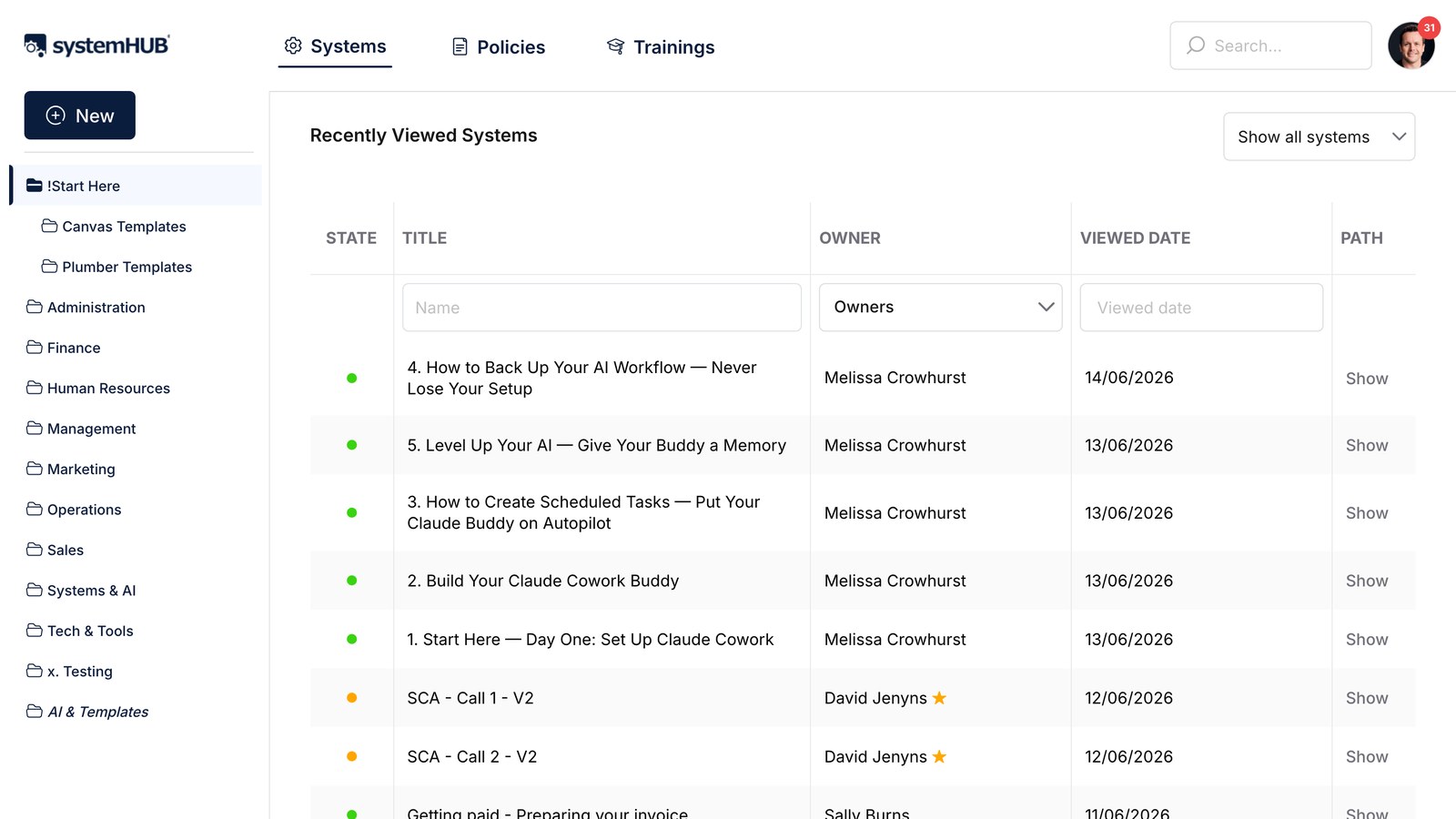
Every automation in one library
Give each prompt, agent and automation its own document, filed by department next to the human processes it sits alongside. Anyone can search it. Nobody needs a login to the tool that runs it.

An owner and a review date on every one
Automations go stale faster than SOPs, because the tools underneath them keep changing. A named owner and a review date mean somebody is actually looking, before the thing quietly starts pricing jobs wrong.
Your AI writes its own documentation
Connect Claude or ChatGPT through the MCP server and your AI drafts and updates the record of what it does, straight into your account. Every change lands as a document your team can read, check and correct. Included from the Accelerator plan up →

Changes don’t happen in the dark
Version history on every document, sign-off where it matters, and an activity log showing who changed what. When an automation’s logic shifts, the people relying on it can be asked to acknowledge the new version.
Shannon Smit, SMART Business Solutions.

Shannon was the bottleneck in her own accounting firm. 70-hour weeks, with the critical knowledge sitting in her head where nobody else could reach it. They mapped the client flow, documented the core systems, and put them in systemHUB. Then her son Ryan took the Systems and AI Champion seat and automated file-noting across three separate systems. Over 1,000 hours a year, from the first bot.
You might also like
systemHUB MCP Server
Connect your AI so it reads and writes your real systems.
Learn more →SOP Software
Document the human processes your automations plug into.
Learn more →Lose the Person, Keep the Knowledge
Capture what walks out the door when somebody resigns.
Learn more →Or browse by outcome (holiday, exit, scale, succession, replace yourself) →
Things owners usually ask first.
Do I need to be technical to document an automation?
No. You’re writing down what it does, not how it’s built. What sets it off, what it touches, what happens when it stops. If you can explain it to a new hire, you can document it. The person who built it can fill in the rest in about ten minutes.
Does systemHUB run my automations?
No, and that’s deliberate. Your automations keep running where they run, whether that’s Zapier, Make, n8n, ChatGPT or something your developer built. systemHUB holds the record of what they do, who owns them, and what happens when one breaks. Tools get swapped. The record shouldn’t have to be rebuilt every time.
My team built these in their own accounts. Where do I start?
Ask the question, not for the login. “What have you got running that saves you time?” Most owners are surprised by the answer. Document what comes back, starting with anything that touches money or a client. You’re not trying to take the tools off people. You’re making sure the business knows they exist.
Can the AI document itself?
Largely, yes. Connect Claude or ChatGPT through the MCP server and it drafts the record straight into your account, then updates it when the process changes. A person still owns it and approves it. The AI does the typing, you keep the accountability.
Which plan do I need for this?
Documenting your automations works on any plan, including the free trial. They’re documents like any other, with the same owners, review dates and sign-offs. Connecting your AI through the MCP server so it can write and update those documents itself is included from the Accelerator plan up. See the pricing page for the full breakdown.
How is this different from a spreadsheet of our automations?
A spreadsheet tells you an automation exists. It doesn’t tell your team how to run the process while the automation is down, and nothing about it goes stale in a way anyone notices. Documents in systemHUB carry an owner, a review date, version history and sign-offs, and they sit next to the human process they replaced.
What if we change AI tools next year?
That’s the point of writing it down. Everything in systemHUB is a plain, readable document, not embeddings or prompts buried in a chat history. Switch models, switch platforms, or turn the AI off entirely, and a person can still open the document and follow the process.
Make the invisible work visible.
Pick the one automation your business would miss most tomorrow. Write down what it does and put a name next to it. That’s the whole first step.
Start Free Trial