
Guides Library · How-To
How to Write an SOP: A Simple 7-Step Guide
The process for creating standard operating procedures your team will actually follow. Capture it, write it, test it, done.

Here’s the biggest mistake people make when writing an SOP: they start by writing.
They open a blank document, try to remember every step of a process from memory, and produce something that’s half wrong, twice as long as it needs to be, and ignored by everyone. Sound familiar?
There’s a better way. This guide walks you through how to write an SOP in 7 steps, from picking the right process to testing the finished document with your team. It’s the same method we’ve used to help thousands of businesses create standard operating procedures that actually get followed.
(If you’re not yet sure what an SOP is or why they matter, start with our SOP essentials guide, then come back here.)
In this guide:
Before you create your SOP: 3 decisions
Three quick decisions before you touch a keyboard. Get these right and the writing almost takes care of itself.
1. Which process first?
Not all of them. One. Pick the process causing the most pain right now: the one that breaks when a key person is away, or the one generating the same questions over and over. If everything hurts equally, start with something on the path your customer travels, because that’s where inconsistency costs you money.
2. Who writes it?
Here’s the counterintuitive bit: not the business owner, and not a committee. In SYSTEMology, creating systems is always a two-person job. One person does the task (the knowledgeable worker: whoever on your team currently does it best), and another documents it (your Systems Champion, the team member who owns the documentation effort). The knowledgeable worker then reviews the draft for accuracy. The owner’s job is to hand over knowledge and set priorities, not to write the manual. (The full extraction method is in the SYSTEMology book.)
3. How much detail?
Write for the newest person on your team, not the expert. The test: could a competent new hire follow this document, without asking questions, and get the same result? That’s the level. Any more detail and it becomes a wall of text nobody reads; any less and it’s a vague reminder rather than a procedure.
How to write an SOP in 7 steps
This is the full process for creating SOPs, and you’ll notice writing doesn’t show up until step 4. That’s deliberate. The best SOPs are captured from reality, not composed from memory.
Step 1: Pick one process and define its edges
Take the process you chose above and put a fence around it. Where exactly does it start, and where does it end? “Sales” is not a process. “From a new enquiry arriving to a discovery call being booked” is. Small and specific beats big and vague.
Step 2: Record the process being done
This is the step that changes everything. Don’t write from memory; capture from reality. Next time the task happens, record it: a screen recording for computer work, a phone video for physical work, or even a voice memo where the person talks through what they’re doing as they do it.
Why recording works: when people write from memory, they skip the steps they do on autopilot, and those are exactly the steps a new person needs. The recording catches what memory misses. It also takes 10 minutes instead of an afternoon, because the person just does their job while the recording runs.
Step 3: Note the trigger and the endpoint
Every SOP needs a clear start signal and a clear finish line. The trigger is what tells someone to begin (“a new enquiry lands in the inbox”). The endpoint is how they know they’re done (“the discovery call is booked and confirmed in the calendar”). Write these two lines first; they anchor everything in between.
Step 4: Turn the recording into numbered steps
Now you write, and it’s more transcription than composition. Watch the recording and list the steps in order. Keep each step to one action, start each with a verb, and use plain language. Ten to fifteen steps is typical; if you’re pushing past twenty, you’ve probably fenced off two processes, so split them.
Step 5: Add the essentials
Round out the document with the details that make it usable: a clear title (start with a verb: “Process a customer refund”), who owns the procedure, links to any templates or tools mentioned, and screenshots from the recording where a picture saves a paragraph. Our SOP essentials guide covers the five must-haves in detail.
Step 6: Test it with someone who didn’t write it
Hand the document to a team member who wasn’t involved and have them follow it, literally, step by step. Every place they pause, ask a question, or improvise is a gap in the document, not a gap in the person. Fix the document. One test pass catches 90% of the problems.
Step 7: Store it where the team will find it
An SOP saved to someone’s desktop doesn’t exist. Put it in one central home your whole team knows to check, give it an owner, and set a review date (every 6 to 12 months, or whenever the process changes). Then, and this is the part most businesses skip, actually use it: link it in training, reference it when questions come up, and update it when the process evolves.
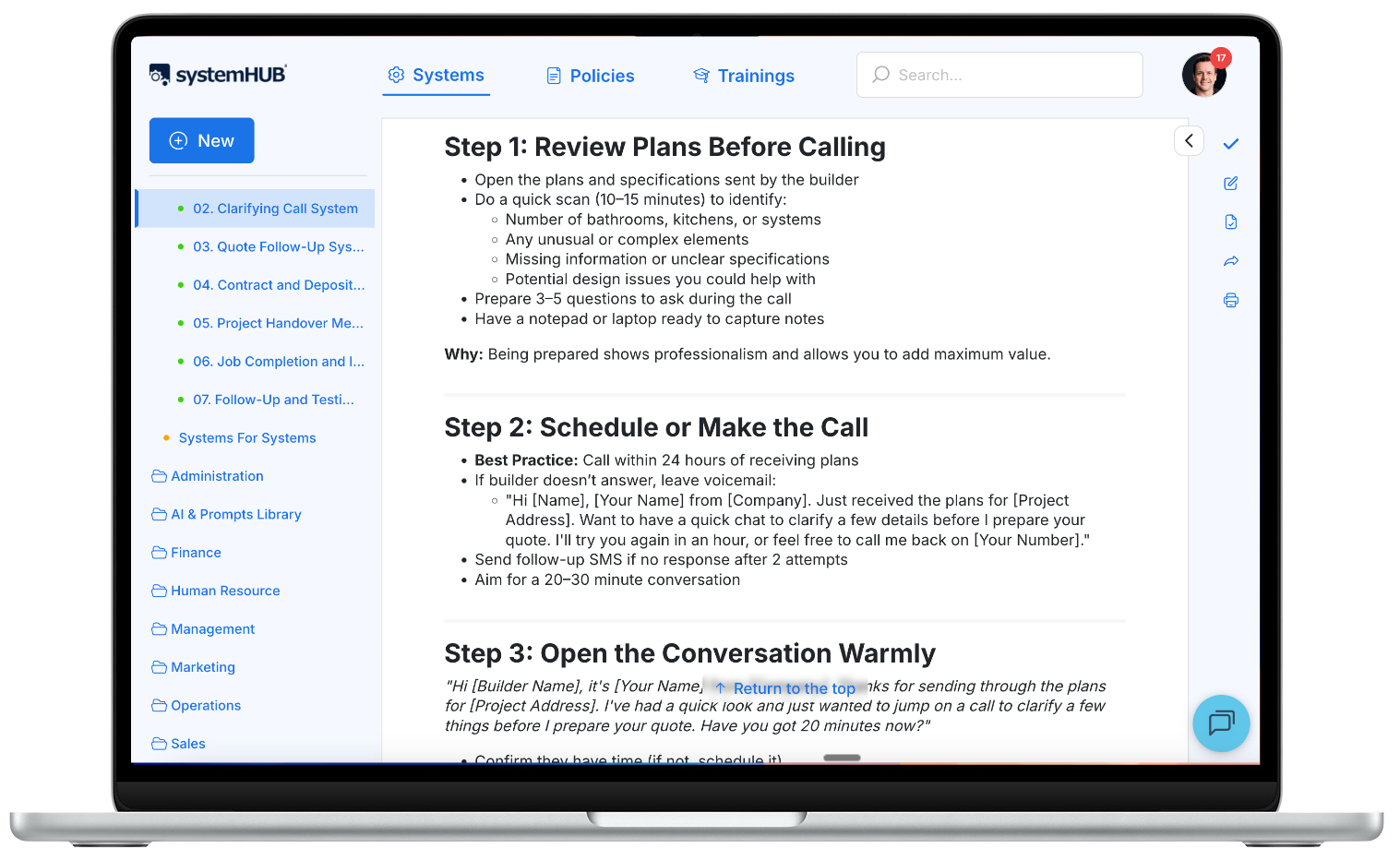
One central home: every SOP organised, searchable, and owned.
Skip the blank page entirely
Grab 100+ free SOP templates covering sales, operations, finance, HR, and more. Start from a proven structure and adapt it to your business.
The SOP format that works
People overthink SOP format. You don’t need ISO-style document control and three levels of appendices. For 90% of small business procedures, this simple structure is all it takes:
Trigger
What starts the process
Steps
What to do, in order
Endpoint
How you know it’s done
The simple SOP format:
- Title: verb first, specific (“Send the weekly newsletter”)
- Owner: the one person responsible for keeping it current
- Trigger: what starts the process
- Steps: numbered, one action each, plain language
- Endpoint: how you know it’s done
- Resources: links to templates, tools, and related procedures
Beyond that, there are three common formats, and the right one depends on the process. A simple step-by-step list suits linear tasks (most of your procedures). A hierarchical format (main steps with sub-steps) suits complex tasks like end-of-month close. A flowchart suits processes with decision points, like handling a refund request where the path depends on the amount.
When in doubt, use the simple list. You can always upgrade later, and a plain checklist that gets followed beats an elaborate flowchart that doesn’t.
Already have an SOP in the wrong shape? Paste it into our free SOP formatter and get it back with clean structure and your wording untouched.
A worked example
Here’s the format in action, captured exactly the way steps 1 to 7 describe:
Respond to a new website enquiry
Owner: Sales lead
Trigger: New enquiry notification arrives from the website form.
- Open the enquiry and log the contact in the CRM within 30 minutes
- Send the “thanks for reaching out” email template, personalised with one line about their enquiry
- Call the number provided (if during business hours)
- No answer? Send the follow-up SMS template and set a reminder to call again in 24 hours
- When you connect, use the discovery questions sheet and book the next call before hanging up
- Update the CRM record with notes and the booked call
Endpoint: Discovery call booked and confirmed, or the lead is marked unqualified with a reason.
Resources: Email template, SMS template, discovery questions sheet.
Want more to model from? We’ve published 15 standard operating procedure examples across every department, each following this exact structure.
Go faster: use AI to draft your SOPs
Here’s where writing SOPs got dramatically easier. That recording you made in step 2? Feed its transcript to an AI tool and ask it to draft the procedure in the format above. What used to take an afternoon now takes minutes.
The workflow: record the task, transcribe it, let AI produce the first draft, then run steps 6 and 7 exactly as before. AI drafts; your team still tests, because the newest-hire test is the one thing a machine can’t do for you.
No recording yet? Describe the process in a few sentences and our free AI SOP generator will write the first draft for you. Already have a recording? Process Pal turns the transcript into an SOP.
This is exactly the shift we cover in The Systems Champion: AI isn’t replacing the method, it’s collapsing the time it takes. The businesses winning right now are the ones pairing the two-person extraction method with AI drafting.
Common mistakes when writing SOPs
Writing from memory. You’ll document the process as you think it happens, not as it happens. Record it being done, then write. This is the single biggest quality lever.
Chasing perfect. A rough SOP your team uses this week beats a polished one that ships next quarter. Simple beats perfect; you’ll improve it every time the process runs.
Documenting everything at once. The businesses that succeed document one process, get it used, then move to the next. The ones that stall try to write 50 SOPs in a weekend.
The owner writing everything. If all the SOPs live in your voice and your head, you’ve just built a more organised bottleneck. Hand the capture to the people who do the work.
No home, no owner, no review date. An SOP without these three things quietly dies. Central home, named owner, review date. Every time.
What’s the chaos actually costing you?
Undocumented processes have a price: rework, repeated questions, and mistakes. Put a number on it with the free Cost of Chaos calculator.
Frequently asked questions
What is the format of an SOP?
The simple format that works for most businesses: title, owner, trigger, numbered steps, endpoint, and resources. Complex processes can use a hierarchical format (steps with sub-steps) or a flowchart when there are decision points. Start simple; upgrade only if the process demands it.
How do I write a simple SOP quickly?
Record the task being done (screen recording or phone video), write down the steps as they actually happened, add the trigger and endpoint, and have someone else follow it once. For most processes that’s under an hour of total effort, and 10 minutes of it is writing.
What are the essential parts of an SOP?
Five things: a clear verb-first title, the trigger that starts the process, numbered steps in plain language, an endpoint that defines done, and an owner responsible for keeping it current. Links to templates and tools used are a strong sixth.
How long should an SOP be?
As short as it can be while still passing the new-hire test. Most sit between half a page and two pages, or 10 to 15 numbered steps. If it’s longer than that, you’re probably documenting two processes; split them.
Who should write SOPs in a business?
It’s a two-person job: the knowledgeable worker (whoever does the task best) performs it while it’s captured, and the Systems Champion turns the capture into a consistent document, which the worker then reviews for accuracy. The business owner’s role is to hand over knowledge and set priorities, not to write every procedure.
What software should I use to write SOPs?
Start with whatever your team will actually open. The tool matters less than the habit. That said, SOPs scattered across Google Docs get lost fast, which is why growing teams move to a dedicated home like systemHUB, where procedures are organised, searchable, and versioned.
I’m brand new to this. Where do I start?
Start with one process, follow the 7 steps above, and if you want a gentler on-ramp, our SOP creation beginner’s guide walks through your very first SOP end to end. Free SOP templates help too; adapting beats authoring.
Start with one
You now know how to write an SOP: pick one process, record it being done, capture the trigger and endpoint, turn the recording into numbered steps, test it, and give it a home.
So here’s the next step, and it’s deliberately small. Choose the one process that generates the most questions in your business, and run it through the 7 steps this week. Don’t aim for perfect. Aim for done and in use.
One documented process this week becomes a habit. The habit becomes a library. And the library becomes a business that runs without you.
When you’re ready to give those SOPs a proper home your team can find, follow, and keep current, see how systemHUB works.