Could your business survive without you for three months?
If the honest answer is no, it’s probably not because your team isn’t talented. It’s because everything they need to know lives in your head. The how-tos, the shortcuts, the “just do it like this” knowledge that keeps your business running.
That’s where standard operating procedures come in.
An SOP takes what’s trapped in your head (or your best people’s heads) and turns it into a step-by-step process anyone on your team can follow. It’s how you go from answering the same questions every day to building a business that runs without you.
This guide covers what SOPs actually are, why they matter, and exactly how to create them. No theory. No fluff. Just a proven method that’s helped hundreds of business owners free themselves from daily operations.
In this guide:
What is a standard operating procedure (SOP)?
A standard operating procedure is a documented set of steps that tells someone how to complete a specific task or process in your business.
That’s it. Nothing more complicated than that.
Think of it like a recipe. A good recipe tells you the ingredients, the steps, and what the finished dish should look like. An SOP does the same thing for your business: it captures exactly how to complete a task so the result is consistent every time, regardless of who’s doing it.
SOP stands for Standard Operating Procedure.
You’ll also hear people call them processes, procedures, playbooks, or systems. The label doesn’t matter. What matters is that the knowledge gets out of people’s heads and into a format your team can actually use.
Here’s the key distinction: an SOP isn’t a policy (what to do) or a goal (what to achieve). It’s the how. The step-by-step instructions that connect your goals to consistent results.
Why do SOPs matter?
You’ve probably heard the advice: “Work ON your business, not IN it.”
SOPs are how you actually make that happen.
Without documented procedures, your business is owner-dependent. Every question comes to you. Every decision needs your input. And growth hits a ceiling because you can’t scale yourself.
Here’s what changes when you have SOPs in place:
Consistency. Your team delivers the same quality every time, not just when you’re watching. Nobody claims McDonald’s makes the world’s best hamburger, but you know exactly what you’ll get at every location. That consistency is built on systems.
Freedom. When processes are documented, your team can handle things without interrupting you.
Real example: Ryan Stannard, a custom home builder in Adelaide, went from answering every question in his $15M business to taking seven-week holidays because his team runs on documented systems.

Faster training. New team members get up to speed in days instead of months. Instead of shadowing someone for weeks, they follow the SOP and start contributing straight away. Here’s a guide to onboarding best practices if you want to dig deeper.
Fewer mistakes. When there’s a clear process to follow, important steps don’t get missed.
Real example: Lime Therapy, an allied health practice with 40 staff, systemised their invoicing process and saw errors drop immediately while saving hours every week.
A business that’s actually worth something. Buyers don’t pay top dollar for a business that falls apart when the owner leaves. They pay for documented, repeatable systems. Your SOPs are what make your business a sellable asset.
The bottom line: SOPs aren’t paperwork for the sake of paperwork. They’re the building blocks that give you your time back.
How much is it costing you NOT to systemise?
Use our free Cost of Chaos Calculator to put a dollar figure on the time, mistakes, and missed growth your business loses every year without documented systems.
5 essentials every SOP needs
Not all SOPs are created equal. A bad SOP collects dust in a shared drive. A good one gets used every day by your team without you needing to be involved.
After working with hundreds of businesses, here are the five things that separate the SOPs people actually follow from the ones they ignore.
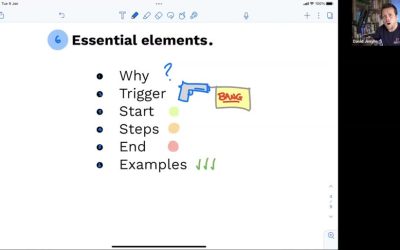
1. A defined trigger
Every SOP needs to answer one question before anything else: when does this process start?
Is it triggered by a customer complaint? A new hire’s first day? A specific request from the sales team? A deadline rolling around each month? Make it explicit.
Without a trigger, your SOP sits in a folder with no natural entry point. Something needs to happen — but if it’s not obvious which system kicks in, nothing does. The trigger is the “on switch” for every process.
2. A stated purpose (the “why”)
A list of steps without context is just instructions. When your team understands why they’re following a process — what it achieves, who it serves, what breaks when they skip steps — they make better decisions when things don’t go to plan.
“This system ensures customers receive prompt refunds while maintaining accurate financial records” tells someone far more than a numbered list ever could. It turns rule-followers into problem-solvers.
3. A definition of done
One of the most common SOP failures: the steps end but the process doesn’t. Nobody knows if the task is finished, what the output should look like, or who gets notified next.
A good SOP makes the endpoint explicit. Does a record get updated? Does a confirmation email go out? Does another process kick in? When someone follows your SOP, they should never have to wonder if they’re done — or worse, assume they are when they’re not.
Tip: Hand the SOP to someone who’s never done the task before and ask them to follow it next time the work comes up. Where they get stuck is your revision list.
4. Written for a human, not a robot
You’re writing for people, not policies. That means conversational language, written from the perspective of the person doing the task — not the manager reviewing it later.
“Here’s how to handle a customer complaint” beats “Initiate the customer complaint resolution protocol” every time. Write it like you’re explaining over coffee to a capable colleague doing this for the first time.
The right level of detail depends on the type of system you’re writing:
Overview systems
Capture the big picture — an annual marketing plan, a client project flow. Map key milestones and decision points. Usually documented through discussion rather than a live recording.
How-to systems
Step-by-step detail for specific, repeatable tasks — processing an invoice, updating your CRM. These need precision because they’re often used to train new team members or handle tasks done only occasionally.
Focus on what happens 80% of the time. Document the main path first. Edge cases can be added later once the core process is solid.
5. Never more than one click away
The best SOP in the world is useless if it’s buried in a shared drive nobody opens.
Your team needs to find the right process at the exact moment they need it — without hunting through folders or asking you. That means linking SOPs directly from where the work happens: task cards in your project tool, calendar invites for recurring processes, even QR codes near equipment that link straight to the associated system.
If finding the SOP takes more effort than just asking you, they’ll ask you. Make accessing information easier than asking for help, and ensure it’s never more than one click away at the moment it’s needed.
Writing SOPs from scratch? You don’t have to.
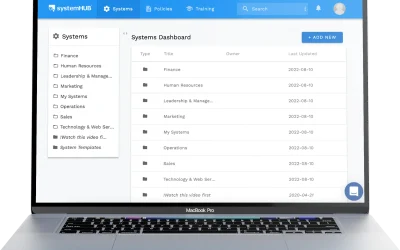
systemHUB includes 100+ ready-made SOP templates you can customise for your business.
5 real SOP examples
Wondering what an SOP actually looks like in practice? Here are five examples across different business departments to give you a concrete picture. (Want even more? Browse our free SOP templates library.)
Sales: following up on a new enquiry
Trigger: New lead comes in via website form or phone call.
- Log the enquiry in the CRM within 30 minutes
- Send the personalised “thanks for reaching out” email template
- Call the lead within 2 hours (if during business hours)
- If no answer, send a follow-up SMS
- Schedule a follow-up call for 48 hours later
- After the first conversation, update the CRM with notes and move to the appropriate pipeline stage
Endpoint: Lead is either booked for a discovery call or marked as not qualified with a reason.
Operations: onboarding a new client
Trigger: Client signs the agreement and makes first payment.
- Send the welcome email with onboarding questionnaire
- Create the client folder in the project management tool
- Schedule the kickoff call within 5 business days
- Assign the project lead and notify the team
- Complete the internal setup checklist (access, logins, templates)
- Conduct the kickoff call and document key decisions
- Send the kickoff summary and next steps within 24 hours
Endpoint: Client is fully set up, the team knows what to do, and the first deliverable is scheduled. For a deeper dive, see our guide on building a client onboarding process.
Finance: processing a customer refund
Trigger: Approved refund request from customer service team.
- Verify the refund has been approved by a team leader
- Open the original invoice in the accounting software
- Create a credit note against the invoice
- Process the refund to the original payment method
- Email the customer to confirm the refund and expected timeframe
- Update the CRM record with a note about the refund and reason
Endpoint: Refund processed, customer notified, and records updated.
HR: first day for a new team member
Trigger: New hire’s start date.
- Prepare their workstation (computer, login credentials, phone)
- Send the welcome pack (handbook, org chart, first-week schedule)
- Manager greets them and does office introductions
- Walk through the employee handbook and key policies
- Set up system access (email, project management, internal tools)
- Assign their “buddy” for the first two weeks
- Schedule check-in meetings for end of day 1, end of week 1, and end of week 4
Endpoint: New team member has everything they need and knows exactly where to go for help.
Marketing: publishing a social media post
Trigger: Content calendar indicates a post is due.
- Draft the post copy using the content brief
- Select or create the visual asset
- Submit for approval to the marketing lead
- Schedule the post in the social media tool
- Monitor engagement for the first 2 hours after posting
- Respond to any comments within 4 hours
- Log performance metrics at end of week
Endpoint: Post is live, engagement is monitored, and results are tracked.
Notice the pattern? Each example has a trigger (what kicks it off), clear steps (what to do), and an endpoint (how you know it’s done). Follow this structure and you can create an SOP for anything in your business.
Want more to work from? We’ve put together 15 standard operating procedure examples across every department, each one ready to copy and adapt, in our new guides library.
How to write your first SOP (the proven method)
Most guides tell you to sit down and write out every step from memory.
Don’t do that.
Here’s what actually works. It’s the same method we’ve used with hundreds of businesses, from trades companies to professional services firms to allied health practices. (If you want the full framework, it’s all in the SYSTEMology book.)
Watch this quick walkthrough of the process in action:
Step 1: Pick one process
Not ten. Not your entire department. One.
Choose the process that’s causing you the most pain right now. The one where you keep getting interrupted with questions. The one where mistakes keep happening. Start there.
If you’re not sure where to start, think about your core departments: Marketing, Sales, Operations, Finance, HR, and Management. In each one, what’s the single most critical recurring task? That’s your shortlist.
Step 2: Find your knowledgeable worker
The person who should document the process isn’t always the business owner. It’s the person who actually does the work every day and does it well. We call them the “knowledgeable worker.”
This is an important mindset shift. You don’t need to write every SOP yourself. In fact, you probably shouldn’t. The person closest to the work knows the real steps, the shortcuts, and the pitfalls that you might not.
Step 3: Record, don’t write
Here’s where most people get this wrong. They try to write the SOP from scratch, sitting at a blank document.
Instead, have your knowledgeable worker record themselves doing the task. For computer-based tasks, use screen recording (Loom, Zoom, or similar). For hands-on work, use a phone camera.
Ask them to narrate as they go: “First I open this, then I click here, then I check this.” That’s your raw material.
This approach works because you’re capturing what actually happens, not what someone thinks happens from memory. The difference is often significant.
During the recording:
- Ask “why” questions. (“Why do you check that before moving on?”)
- Note decision points. (“What do you do if the customer says no?”)
- Capture what happens today, not the ideal process. You can optimise later.
Step 4: Turn the recording into a document
Get the recording transcribed. Most modern tools include transcription. Then take that transcript and structure it into clear, numbered steps.
AI tools can speed this up enormously. Documented SOPs are also the starting point for business process automation: you can’t automate a process nobody has written down. Feed the transcript into our free recording-to-SOP tool, Process Pal, and you’ll get a structured first draft in minutes instead of hours. But always review the output. AI gives you speed; your team gives you accuracy.
No recording? Describe the process in a few sentences and our free AI SOP generator will draft the SOP for you, with any assumptions labelled so you can correct them. It is one of several free AI SOP tools we have built.
Add screenshots from the recording to illustrate key steps. A picture of where to click saves a paragraph of explanation.
Step 5: Test it with a real person
Hand the finished SOP to someone who hasn’t done the task before. Ask them to follow it step by step, next time the task comes up.
Watch what happens. Where do they get stuck? Where do they ask questions? Those gaps are your revision list.
This real-world test is non-negotiable. An SOP that looks good on paper but falls apart in practice is worthless.
Step 6: Store it where your team can find it
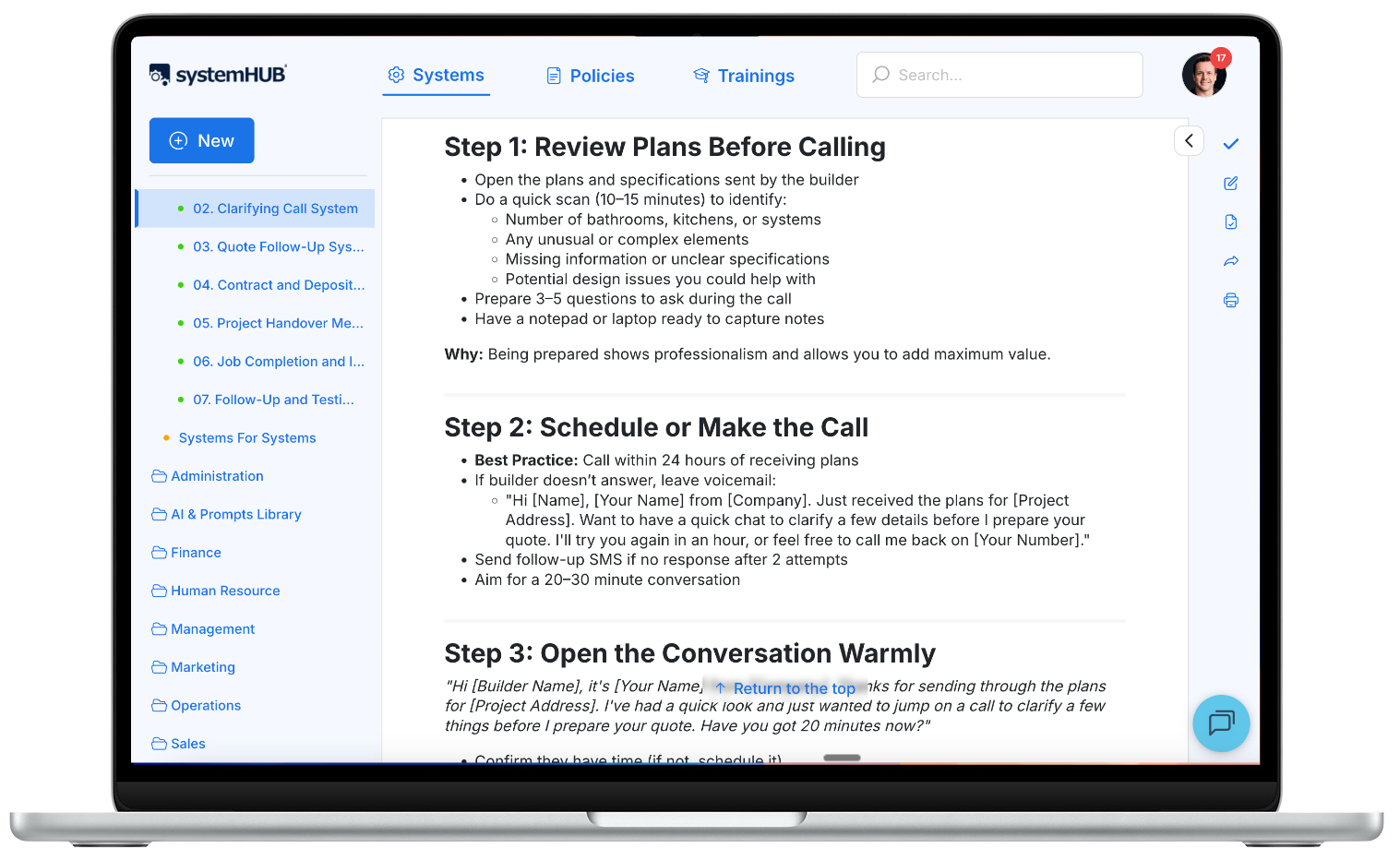
The best SOP in the world is useless if it’s buried in a shared drive nobody checks. Put your documented processes in one central location that’s logical and easy to search. Not scattered across email attachments, Google Docs, and someone’s desktop. That’s the job SOP software is built for.
Step 7: Train, then trust
When deploying an SOP, follow this three-step approach:
1
Demonstrate
Walk through the task following the SOP
2
Do together
Complete it alongside the team member
3
Observe
Watch them do it independently
Repeat step three until they can complete it without help. Then step back and let the system do its job.
Want the deeper version of this method? Our full guide on how to write an SOP expands these steps, covers the format that works, and includes a worked example. And when you’re ready to zoom out from single procedures to whole workflows, see how to document a business process end to end.
Common mistakes (and how to avoid them)
Trying to document everything at once. You don’t need 100 SOPs to get started. You need one. Get it working, then move to the next. Momentum matters more than volume.
The owner writing every SOP themselves. This defeats the purpose. You’re trying to free yourself from daily operations, not add a documentation job on top of everything else. Assign a Systems Champion or use your knowledgeable workers.
Waiting for perfection. Done beats perfect. A good-enough SOP that your team uses today is infinitely more valuable than a perfect one you’ll finish “someday.” You can always improve it later.
Writing it from memory instead of recording reality. Memory skips steps. Recording captures what actually happens. Always start from a recording.
Creating systems for systems’ sake. Before documenting anything, ask: “Will this genuinely help the business?” If it won’t improve the customer experience, free up your team, or reduce errors, pause and reconsider. Documentation isn’t the goal. Improving the business is the goal.
Setting it and forgetting it. SOPs are living documents. Don’t force updates on rigid schedules. Instead, update them when they need it. Your team members are your best early warning system. They’ll tell you when something’s not working if you create a culture where that feedback is welcome.
How strong are your business systems right now?
Take the free System Strength Test — a 2-minute assessment that scores your business across 9 dimensions and shows you exactly where to focus first.
Frequently asked questions
What does SOP stand for?
SOP stands for Standard Operating Procedure. It’s a documented set of steps for completing a specific task or process in your business.
How many SOPs does a business need?
Start with your Minimum Viable Systems: roughly seven critical processes per department, across six core departments. That’s about 42 systems to cover the essentials. But don’t let that number overwhelm you. Start with one.
Who should write SOPs?
Not the business owner. The best approach is to have the person who does the work (the “knowledgeable worker”) record themselves performing the task, then have someone else structure that recording into a written document.
How long should an SOP be?
As long as it needs to be, and no longer. A simple daily task might need five steps. A complex monthly process might need 20. Match the detail to the audience: a new hire needs more guidance than an experienced team member.
How often should SOPs be updated?
When they need it, not on a fixed schedule. Think of it like maintaining a car. You fix a flat tyre when it happens, not at the next annual service. If a tool changes, a step changes, or your team flags a gap, update the SOP then.
What’s the difference between an SOP, a policy, and a process?
A policy is what you do and why (e.g., “We refund customers within 30 days”). A process is the high-level workflow. An SOP is the detailed, step-by-step how-to that someone follows to execute the process within the policy.
Start with one
You don’t need to systemise your entire business this week. Pick one process — the one causing you the most pain. Record it, document it, and get your team using it.
Simple beats perfect. Every time.
Once that first SOP is working, you’ll see what’s possible. And the next one gets easier. Not sure what to tackle next? Here are 10 popular business systems most companies should have documented. And if you want the bigger picture first, start with what business systems are and how they fit together.
Ready to get started?
systemHUB gives you 100+ ready-made SOP templates across Sales, Marketing, Operations, HR, and Finance. Customise them for your business and start building a business that runs without you.