Most business owners treat their LinkedIn profile like a résumé. They fill it in once, leave it, then wonder why the leads never come. The problem isn’t LinkedIn. It’s that there’s no repeatable marketing system behind how you show up on it.
In this episode David Jenyns sits down with Adam Houlahan, founder of Prominence Global and one of the most in demand LinkedIn strategists going around, to walk through a complete LinkedIn lead generation system.
Adam goes section by section, from your banner image down to the influencers you follow, and shows you exactly what each part of your profile needs to say so the right people find you and reach out. If you’ve been posting on LinkedIn with no real structure behind it, this one shows you what to fix first and why.



Key Takeaways
- Most profiles are invisible. Adam’s figure of roughly 630 million people on LinkedIn, about 95% aren’t set up to be found, so they never show up when buyers search for a solution.
- Do it once, then leave it. This is a set and almost forget job. Work through the eleven sections one time and your profile keeps earning its keep; you only revisit it if what you do changes.
- Three sections drive search. Your headline, your position title and your top three skills are the areas LinkedIn weighs most. Fill them with keywords, not job titles.
- Write for the buyer, not your CV. The banner, summary and position description should speak to the problem your ideal client wants solved. Each should end in one clear call to action.
- All-Star status is the goal. Filling the “optional” sections like education, languages and volunteering is what unlocks LinkedIn’s All-Star ranking and gets you shown in more searches.
- Recommendations transfer authority. Ten genuine recommendations make you the obvious choice over a similar profile with none.
In This Episode
- 00:30 Meet Adam Houlahan, back by popular demand
- 02:00 The real problem: 95% of profiles never get found
- 03:30 Why LinkedIn is the fastest growing platform for business
- 05:15 Step one, your background banner
- 08:15 Step two, a profile image that builds trust
- 11:15 Step three, the headline as prime keyword space
- 13:30 Step four, a summary that speaks to your buyer
- 17:15 Step five, the position description and a launch tactic
- 21:45 Steps six and seven, education, volunteering and All-Star status
- 27:15 Step eight, skills and endorsements that compound
- 30:00 Step nine, recommendations that transfer authority
- 32:30 Steps ten and eleven, languages and LinkedIn influencers
👤 Today’s Guest, Adam Houlahan
Adam Houlahan is the founder of Prominence Global and one of the few experts David has invited back to the Business Systems Summit by popular demand. Based on the Gold Coast in Queensland, he’s built and run six businesses over his career. Today he’s known above all for helping companies generate more leads through the organic power of LinkedIn.
He’s an international best-selling author, with titles including The LinkedIn Playbook and Social Media Secret Sauce. At the time of this interview he was even coaching David on his own profile. When it comes to turning a LinkedIn profile into a lead generation asset, there are few people better placed to show you how.
Website: adamhoulahan.com
📋 The 11-Step LinkedIn Lead Generation System
Based on the interview with Adam Houlahan, founder of Prominence Global.
Adam’s numbers make the case on their own. There are around 630 million people on LinkedIn and by his estimate about 95% of those profiles aren’t set up to be found, so they never surface when a buyer searches for what they do. Get your profile right and you jump into the top 5%. Better still, it’s largely a once off. Work through these eleven sections one time and your profile keeps doing the work for you.
“There’s around 630 million people on LinkedIn, but 95% of those profiles are not actually optimized correctly, which means that they literally don’t even get found in searches.”
Adam Houlahan, 02:15
Before we walk down the profile top to bottom, one thread ties this whole LinkedIn lead generation system together. Adam points to three areas the platform leans on most when it decides who to show in search: your headline, the title on your current position and your top three skills. Treat those three as keyword space, not job-title space.
| Profile area | What to put there |
|---|---|
| Headline | One or two strong keywords, not your job title |
| Position title | A keyword phrase, not “CEO” or “General Manager” |
| Top 3 skills | Your three most search-relevant keywords |
1 Your Background Banner
Most people leave the default blue banner in place and that’s the single biggest piece of wasted space on the profile. It’s the first thing a visitor sees, so use it to say what you do and who you serve. Adam offers three options: a promotional banner for a product or service, a hero shot that positions you as an authority (you on stage, say), or his favourite, one or two plain sentences that spell out exactly what you do and who it’s for.
2 A Profile Image That Builds Trust
Your photo has to be you and a recent you. Adam has turned up to meetings expecting the person in the picture and met someone quite different. That small jolt of “this isn’t who I expected” quietly chips away at trust before you’ve said a word. Keep it a clean head and shoulders shot, well lit, plain background, with the focus on your eyes. On most profiles the banner and the photo soak up around 80% of that first glance.
3 The Headline Is Prime Keyword Space
This is the first of the three areas LinkedIn uses to rank you, so don’t waste it on “CEO at XYZ.” Lead with one or two strong keywords you actually want to be found for, the way Adam’s own headline reads more like “LinkedIn expert, best-selling author” than a job title. You’ve got limited room here, so make every word pull its weight, for search and for the reader.
4 A Summary That Speaks to Your Buyer
The About section is where most profiles fall flat, usually because there isn’t one. Switch it on and write it in the first person. Adam’s structure runs like this: your name and claim to fame, an insight into what you do, the problem your ideal client is wrestling with and how you solve it, your personal why and one clear call to action. You’ve got around 2,000 characters, roughly 250 words, so there’s room to let people meet the person behind the profile.
5 The Position Description Does Double Duty
Here the focus shifts from you to the business: why it exists, the big problem it solves and one call to action, backed by clickable media links rather than a web address people have to copy out by hand. Two things matter most. The title on your current position is the second area LinkedIn ranks, so make it a keyword phrase, not “General Manager.” And every time you add a new position, LinkedIn notifies your whole network, which makes it a quietly brilliant way to launch a webinar, a product or a podcast.
How systemised is the rest of your business?
You’ve tuned up your LinkedIn profile, now see how the systems behind your business hold up with a quick two-minute check.
6 Education and the All-Star Threshold
Education is one of the sections LinkedIn needs filled in before it will grant you “All-Star” status. All-Star is simply the platform’s way of saying you’ve switched on everything it wants to see and it’s what tells LinkedIn to start showing you in searches. It doesn’t have to be a degree. A short course, a certification, even “student of life” will do. The point is to have something there.
7 Volunteer Experience, the Quiet Differentiator
If you support a cause or do any community work, add it. LinkedIn factors volunteer experience into how complete your profile looks. People also tend to warm to those who share their values, so it’s a small touch that can build a real connection with the right person.
8 Skills and Endorsements That Compound
Skills are the third area LinkedIn uses to rank you, so be deliberate. You can list up to 50, but only the top three show without a click, so make those three your most search-relevant keywords, lined up with your headline and position title. Then ask past colleagues and clients to endorse them. Each endorsement is a small vote of confidence that adds up.
9 Recommendations That Transfer Authority
Faced with two similar profiles, one with a wall of recommendations and one with none, a buyer picks the one others have vouched for. Adam suggests aiming for at least ten, gathered the honest way: ring people you’ve done good work for and ask. Most will happily say yes. From there it’s just a link away.
“Immediately the authority transfers to you.”
Adam Houlahan, 30:45
10 Languages Matter More Than You Would Think
Even if English is the only language you speak, add it. LinkedIn looks at this when it decides who to show in search. It’s another box you need ticked for All-Star. Speak a second or third language? Add those too, as long as they’re relevant.
11 Follow the Right Influencers
The last section lets you line up a handful of LinkedIn influencers and companies you follow, think Richard Branson, Gary Vaynerchuk or a brand like Apple. You can’t connect with the big names, but following them lists them on your profile and rounds out the picture of who you are and what you stand for.
“All boats float on a rising tide. If you can get in front of a trend as it’s going up, you just need to be a little bit better than everybody else is doing on the platform, and then it becomes very easy to stand out.”
David Jenyns, 36:35
Here’s the part worth hanging onto: this is a once off. Set these eleven sections up properly and in Adam’s words, it’s almost set and forget. The same logic runs through the rest of your business, where a few small, systemised changes often free up more time than any big overhaul. Your profile isn’t broken, it just hasn’t been systemised yet, so get it out of your head and into one place your team can follow. Pick one section, fix it this week and watch what starts to shift.
Frequently Asked Questions
How many people actually set up their LinkedIn profile properly?
Very few. Adam’s figure is that about 95% of the 630 million people on LinkedIn haven’t set their profiles up to be found, so they never surface in search. Do the work and you drop into the top 5%.
Which parts of my profile does LinkedIn use to rank me in search?
Three of them: your professional headline, the title on your current position and your top three skills. Adam’s advice is to treat all three as keyword real estate, not job-title real estate.
What is “All-Star” status and why does it matter?
It’s LinkedIn’s way of saying you’ve filled in every section it wants to see, including the optional ones like education and languages. Hit All-Star and LinkedIn is far more willing to show you in searches.
Do I really need recommendations?
If you want a profile that stands out, yes. Adam suggests aiming for at least ten, gathered organically by simply asking people you’ve worked with. Faced with two similar profiles, the one with recommendations wins.
How often do I need to update all this?
Almost never. Adam calls it set and forget. Once your profile is dialled in you only revisit it if you change what you do. One tactic worth repeating: adding a new position notifies your whole network, so it’s a handy way to launch something.
Is this the whole LinkedIn strategy?
No. Dave and Adam are clear this is step one, getting the profile right. Producing good content and engaging your audience comes next, and there’s plenty of that across more episodes of the Business Processes Simplified podcast. A strong profile is only the foundation; the real leverage comes when the whole business runs on documented systems, which is how teams use systemHUB.
Ready to get started?
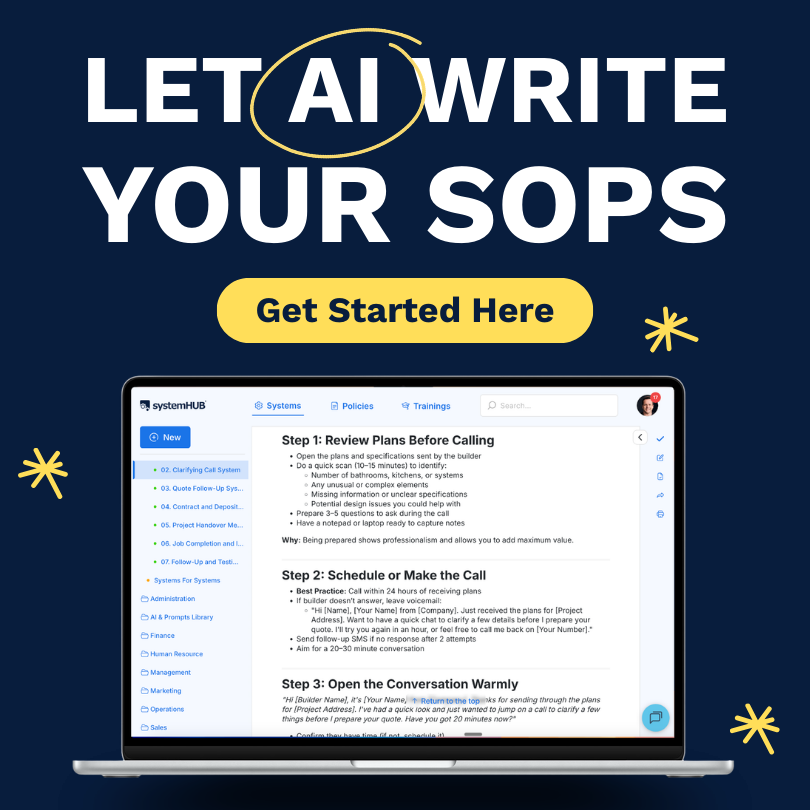
systemHUB gives you 100+ ready-made SOP templates across Sales, Marketing, Operations, HR and Finance. Customise them for your business and start building a business that runs without you.
Thank you for listening!
Thanks for joining us for this episode. Do you have any questions or feedback you'd like to share? We'd love to hear it! Let us know in the comments section below.
If you enjoy listening to this podcast, please share it on Facebook and leave an honest review on iTunes. We'd love to know what you think.
Remember, the next system we share could be just the one you been looking for, so subscribe on iTunes so you can get the latest episodes as soon as they’re published.
About The Show
Business Processes Simplified
We interview industry experts and have them share their best small business systems and processes. This is the quickest, easiest and most efficient way to build a systems centered business.