
Guides · Free course · Organise
Where to Store Your Systems (SOP Software vs Project Management)
If your systems are everywhere, they're nowhere. Let's give them one home.
In 60 seconds
- Your systems need one central home your whole team can find.
- Use two tools: one for the how (your systems) and one for tracking the work (project management).
- Link each system to the task where the work gets assigned.
If your systems live in a shared drive, on someone's desktop and in a few people's heads, you're not alone. Most businesses I meet are the same. This is the fourth stage of SYSTEMology: Organise.
The two tools you need
- Systems software: your central how-to manual, with every role and every task in one place.
- Project management software: your accountability tool. It tracks who is doing what by when.
Keep them separate. Your project tool changes every day as work moves through it. Your systems need to stay stable and easy to search. Mix the two and your systems get buried in old tasks. Keep them apart and they become a clean asset you can hand over or even sell.
What to look for in systems software
- Easy to use. If it needs training, your team won't use it.
- Rich media. Videos, templates and checklists sit inside the system.
- Roles. Assign systems to roles, then roles to people. When someone moves on, you reassign the role.
- Sign-off. People confirm they've read a system. Goodbye to "but I didn't know".
That's the job we built systemHUB to do. Systems, Policies and Trainings each get their own library with folders by department.
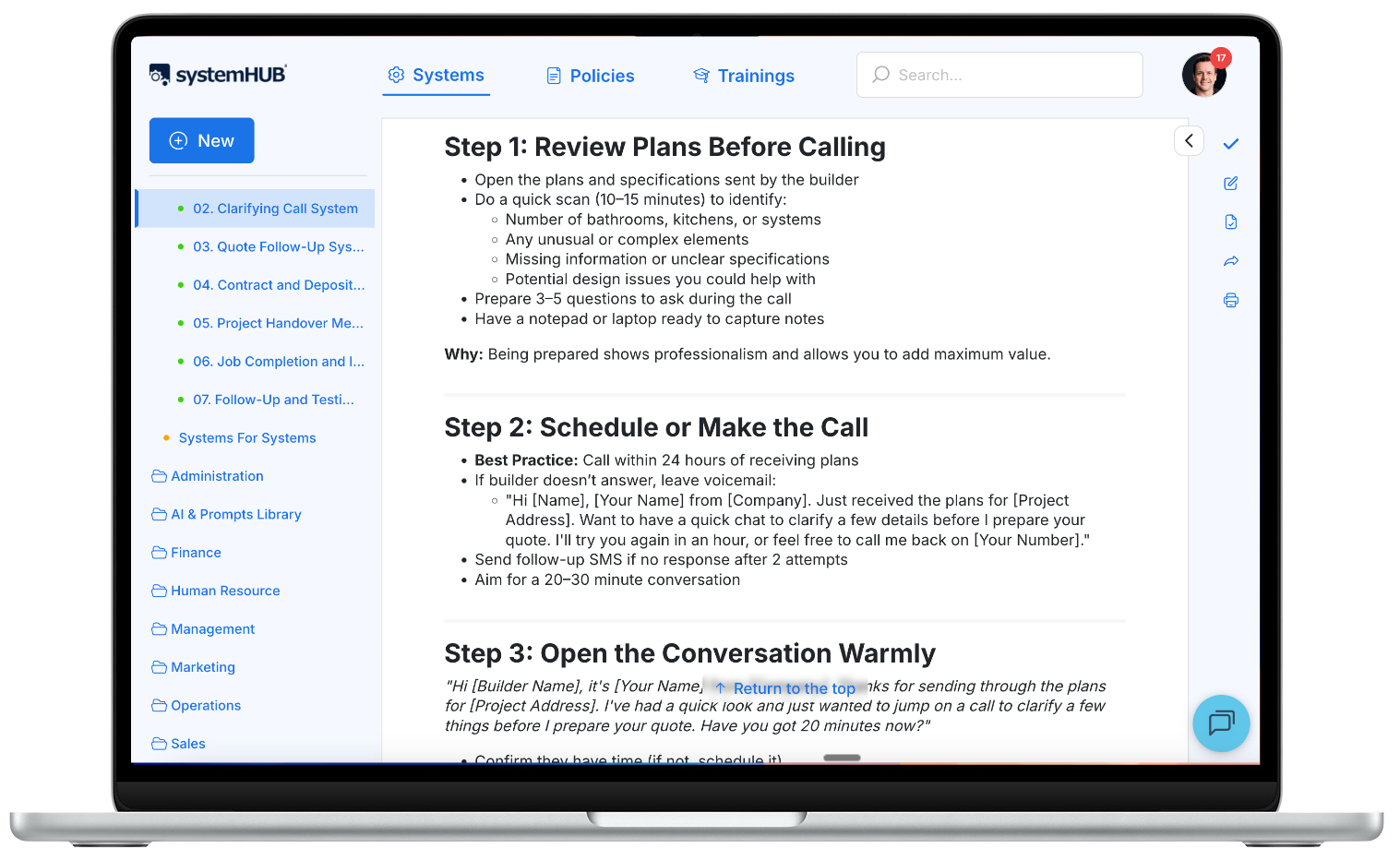
Not ready for new software? One shared folder with a sub-folder per department and one document per system will do for now. Something is better than nothing.
How the two work together
Create your tasks in the project tool and paste the link to the matching system into each one. The instructions now sit right where the work is assigned. Ticking a task complete means it was done to the standard in the system.
Automation and AI come after that. Do it manually first, get it right, then automate it.
Do this now (30 minutes)
- List every place your systems live today.
- Pick one home and create a folder for each department.
- Move your CCF systems in first. Everything else can wait.
- Paste each system's link into the task where that work gets assigned.
Do it in systemHUB: set up your department folders, give every system an owner and a review date and use roles so each person sees the systems for their job. Start a 14-day free trial, no card needed.

Real-world example
Daniel Power-Mirfin sits on the parent committee of Mount Martha Preschool, a non-profit in Victoria. Every time the committee changed, new members needed a month or more to get up to speed. Daniel followed SYSTEMology and moved the committee from Word documents into dedicated systems software, with its systems, policies and training in one place. In his words, "future committees now have the tools to hit the ground running."
Once your systems have a home, the next job is getting them used. That's the next lesson.