You automated a broken process. Now the broken process runs faster.
That’s the reality for most small business owners who jump straight into automation technology. They buy the software, connect the tools, set up the triggers, and expect everything to magically work. For a few days it feels like progress. Then the errors start compounding. The wrong emails get sent. Tasks fall through the cracks. And suddenly you’re spending more time fixing the automation than you ever spent doing the task manually.
I’ve seen this happen more times than I can count. And the fix isn’t better automation technology. It’s better systems.
In this guide, I’ll show you how to approach automation technology the right way: systems first, automation second. It’s the same approach we teach in SYSTEMology, and it’s how you turn automation technology into a genuine competitive advantage rather than an expensive headache.
In this guide:
- What is automation technology?
- Why automation technology matters for small business
- The automation trap: why technology alone won’t save your business
- 5 types of automation technology for small businesses
- How to implement automation technology (a systems-first approach)
- Common automation technology mistakes
- Frequently asked questions
What is automation technology?
Automation technology is any software or tool that performs repetitive tasks without manual intervention. Instead of a person doing the same thing over and over, the technology handles it automatically based on rules you’ve defined.
At its simplest, automation technology can be a rule in your email inbox that files certain messages into folders. At its most sophisticated, it can be an AI-powered system that processes invoices, updates your CRM, sends follow-up emails, and generates reports without anyone lifting a finger.
For small business owners, automation technology typically falls into a few key categories:
- Workflow automation: connecting tasks so one triggers the next automatically
- Communication automation: scheduled emails, follow-ups, and notifications
- Data automation: moving information between systems without manual re-entry
- Document automation: generating proposals, invoices, and reports from templates
- Marketing automation: lead nurturing, email sequences, and social scheduling
The promise of automation technology is simple: free up your time and your team’s time so everyone can focus on higher-value work. The reality, though, is that the promise only holds when the underlying processes and procedures are solid first.
Why automation technology matters for small business
Here’s the uncomfortable truth: if you’re a small business owner still doing everything manually, you’re competing with one hand tied behind your back.
The numbers tell the story. Research shows that 88% of small and medium-sized businesses say automation technology helps them compete with larger companies. The global business process automation market grew to nearly $15 billion in 2024 and continues to climb. This isn’t a trend. It’s a fundamental shift in how businesses operate.
But beyond the macro numbers, here’s what automation technology actually means for your business:
It buys back your time
Every repetitive task you automate is time you get back. If your team spends 10 hours a week on data entry, invoice chasing, and appointment confirmations, that’s 10 hours you can redirect toward serving clients, developing products, or simply going home before dark.
It reduces human error
People make mistakes when they do the same thing hundreds of times. They miss a step, transpose a number, forget to send a follow-up. Automation technology doesn’t get tired, distracted, or forgetful. The same process runs the same way, every time.
It makes your business scalable
Without automation, growth means hiring more people to handle more volume. With automation, you can handle significantly more output without proportionally increasing your team. That’s how small businesses punch above their weight.
It creates consistency for your clients
Your clients don’t want a great experience sometimes. They want it every time. Automation ensures your onboarding emails always go out, your follow-ups always happen, and your invoices always arrive on schedule. Consistency builds trust, and trust builds a business.
The automation trap: why automation technology alone won’t save your business
This is where most guides on automation technology get it wrong. They jump straight to the tools, the software comparisons, the feature lists. And they skip the most important step entirely.
You can’t automate what you haven’t systemised.
If you don’t have a clear, documented process for how something gets done, automating it just means the mess runs faster. You’re not solving the problem. You’re accelerating it.
I write about this in the SYSTEMology book, and it’s a principle I come back to constantly: try “human automation” before you try technology automation.
What is “human automation”?
It’s how Google approaches things. You’d think the biggest tech company in the world would jump straight to machine automation. They don’t. Google’s search team first identifies a problem, then has humans test and refine the solution manually. Only once the process is proven and consistent do they hand it to the machines. If it’s good enough for Google, it’s good enough for your business.
The principle is straightforward. Before you hook up Zapier to fire a zap every time someone sneezes, prove the process works manually first. Have a person run through it, step by step, using documented standard operating procedures. Fix the gaps. Smooth the rough edges. Then, once the process is running consistently and predictably, automate it.
The sequence matters: Document → Delegate → Automate.
Skip the first two steps and automation technology becomes an expensive way to create chaos at scale.
Is your business ready for automation?
If your systems aren’t documented yet, automation will amplify the problems. Take the free Systems Strength Test to find out where you stand.
5 types of automation technology for small businesses
Once your processes are documented and running smoothly with your team, here are the five categories of automation technology worth exploring.
1. Workflow automation
Workflow automation connects the steps in a process so that completing one step automatically triggers the next. When a new lead fills out a form, the system creates a contact record, assigns a team member, and sends a welcome email. No one has to remember. No one has to copy-paste.
Tools like Zapier, Make (formerly Integromat), and native platform integrations handle this. The key is starting with simple, two-step automations and building complexity gradually.
The idea is that automation becomes the “brain” of your business. A thinker at the top creates a task, the system figures out who to send it to and delegates it with all the information the specialist needs. When the specialist finishes, the system notifies the right people and moves the project forward. No middle managers chasing updates. No tasks falling through the cracks.
The video below is from one of our early workshops where we explored how this works in practice, using tools like Podio to automate task delegation and tracking across a team.
Automation technology acts as the “brain” of your business, routing tasks from thinkers to specialists automatically.
The real competitive advantage here isn’t the technology itself. It’s what it replaces: that expensive layer of middle management and project managers whose entire job is chasing status updates. When the automation handles the routing and tracking, you eliminate overhead and your team focuses on doing the actual work.
2. Communication automation
This covers everything from automated email sequences to client reminders, appointment confirmations, and internal team notifications. When a client books a meeting, they get a confirmation and a reminder. When a project milestone hits, the client gets an update. When an invoice is overdue, a follow-up gets sent.
Communication automation removes the “I forgot to follow up” problem that costs small businesses real money.
3. Data and document automation
Manual data entry is one of the biggest time drains in any small business. Data automation moves information between systems so you’re not re-typing the same client details into five different platforms. Document automation generates proposals, invoices, contracts, and reports from templates, pulling in the right data automatically.
If your team is still copying data from one spreadsheet to another, this is where you’ll see the fastest return.
4. Marketing automation
Marketing automation handles lead nurturing, email campaigns, social media scheduling, and audience segmentation. When someone downloads your lead magnet, they enter a nurture sequence. When a subscriber clicks a specific link, they get tagged and sent targeted content.
For small businesses, marketing automation is often the first type of automation they adopt because the ROI is easy to measure.
5. AI-powered automation
The newest category. AI-powered automation goes beyond rule-based triggers. It can draft emails, summarise meeting notes, categorise support tickets, analyse data patterns, and even generate first-draft SOPs from screen recordings. The technology is moving fast, and small businesses that adopt it early will have a significant edge.
That said, the same principle applies: AI works best when it’s enhancing documented systems, not replacing the absence of them.
How to implement automation technology in your business
Here’s a step-by-step approach to implementing automation technology without creating new problems.
Step 1: Audit your current processes
Before you buy any software, map out the processes you’re considering automating. Where does time get wasted? Where do mistakes happen? Where are the bottlenecks? A business process improvement audit is the perfect starting point.
If you haven’t already documented your business systems, start there. You need to understand exactly how a process works before you can decide if it’s ready for automation.
Map your processes visually before deciding what to automate. The clearer the flow, the smoother the automation.
Step 2: Document the process as an SOP
Write out the step-by-step procedure. Use screen recordings, checklists, or video walkthroughs. The goal is to have a documented process that someone else on your team could follow without asking you questions.
This is the step most people skip, and it’s the most important one. If you can’t explain the process clearly enough for a human to follow it, no automation tool is going to figure it out for you.
Step 3: Run it manually first
Have your team run the documented process manually for a few weeks. Track what works and what doesn’t. Identify any exceptions, edge cases, or steps that need refinement. This is your “human automation” phase.
Only when the process runs consistently and predictably with real people should you move to the next step.
Step 4: Identify the automation opportunity
Look at the manual process and ask: which steps are purely repetitive and rule-based? Those are your automation candidates. Which steps require judgement, creativity, or relationship? Those stay human.
The best automation technology implementations don’t automate everything. They automate the repetitive parts and leave the high-value parts to people.
Step 5: Choose the right tool
Now, and only now, do you choose the technology. Match the tool to the process, not the other way around. Don’t fall in love with a shiny platform and then try to reshape your business to fit it.
Remember the two tools that really matter: systems management software (where your SOPs and processes live) and project management software (where tasks are assigned and tracked). Everything else plugs in around those two.
Step 6: Start small and iterate
Automate one process at a time. Get it running smoothly. Confirm it’s producing the results you expect. Then move to the next one. Resist the urge to automate everything at once. It always leads to a tangled mess of triggers that nobody understands.
Document first. Automate second.
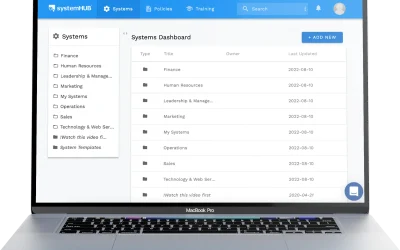
systemHUB gives your team one place to store every SOP, checklist, and process. The foundation your automation technology needs to actually work.
Common automation technology mistakes
These are the mistakes I see most often when small business owners adopt automation technology.
Automating before documenting. If the process isn’t written down and proven to work manually, automating it just creates faster chaos. Always document first.
Choosing technology before understanding the process. Research shows 62% of small business digital transformations fail because companies buy technology before understanding their process gaps. Start with the process, not the software.
Trying to automate everything at once. You end up with a web of interconnected triggers that nobody can debug when something breaks. Start with one simple automation. Get it right. Then expand.
Over-engineering simple tasks. Sometimes a checklist and a well-trained team member is all you need. Not every process needs a technology solution. Automate the things that genuinely benefit from it and leave the rest to people.
Confusing systems management with project management. These are two different tools with two different jobs. Your systems management software (like systemHUB) stores how things are done. Your project management software tracks who is doing what, by when. Mixing them up leads to confusion and poor adoption.
Forgetting the human element. Automation technology is a tool, not a replacement for leadership. Your team still needs training, feedback, and communication. The technology handles the repetitive work so your people can focus on what humans do best.
Frequently asked questions
What is automation technology?
Automation technology is any software or tool that performs repetitive business tasks without manual intervention. It works by following predefined rules or triggers: when one event happens, the system automatically executes the next step. This frees up your team to focus on higher-value work.
What are examples of automation technology for small business?
Common examples include email marketing sequences, automatic invoice generation, CRM data syncing, appointment reminders, social media scheduling, workflow tools like Zapier or Make, and AI-powered assistants that draft content or categorise support tickets.
Do I need documented systems before automating?
Yes. This is the most important principle. If you automate a process that isn’t documented and proven to work manually, you’ll automate the mistakes along with the task. The sequence is: document the process, delegate it to a person, then automate once it’s running smoothly.
What should I automate first in my business?
Start with tasks that are repetitive, rule-based, and time-consuming: data entry, appointment scheduling, email follow-ups, invoice processing, and client onboarding communications. These deliver the fastest ROI because they’re easy to document and straightforward to automate.
How much does business automation technology cost?
Costs vary widely. Many automation tools offer free tiers for basic use (Zapier, Make, Mailchimp). Paid plans typically range from $20-200 per month for small business needs. The bigger cost consideration is your time: implementing automation properly takes planning, documentation, and testing.
What’s the difference between systems management software and project management software?
Systems management software (like systemHUB) stores how things are done: your SOPs, checklists, policies, and training materials. Project management software tracks who is doing what, by when. You need both, but they serve different purposes. Don’t try to combine them into one tool.
What is “human automation”?
Human automation means running a process manually with documented SOPs before handing it to technology. It’s how Google approaches process improvement: test with humans first, refine until it’s consistent, then automate. This approach catches problems early and ensures the automation works correctly from day one.
Can automation technology replace my team?
No, and that’s not the goal. Automation technology replaces repetitive tasks, not people. It handles the work that’s rule-based and predictable so your team can focus on the work that requires judgement, creativity, and human connection. The best automation implementations make your existing team more productive, not redundant.
Automation technology is one of the most powerful levers a small business owner can pull. But only when you pull it in the right order. Document your processes. Prove they work with real people. Then hand the repetitive parts to the machines.
That’s the systems-first approach to automation. And it’s the only one that consistently delivers results.
Ready to build the foundation your automation needs? Start with systemHUB.