How to systemise your business: the short answer
To systemise your business, get what’s in your head onto the page, store it in one place your team can find and track who does what by when. The seven tools below show you how.
The method in one line: map your departments, record how the work is done, turn the recordings into short written steps and test them with someone new. For the step-by-step version see how to write an SOP and what an SOP is. For the bigger picture see what business systems are.
System Architect | Dale Beaumont:
businessblueprint.com
Regardless of all the technology and tools we have available to utilise nowadays, it’s amazing how many people still carry everything around in their heads. However, all too often this tactic can lead to disaster – sometimes of epic proportions.
Having systems in place not only enhances the value of your business and employees but also reduces your stress and increases clarity. The reality is: that we like to think the worst can never happen to us. But deep down we know no one is immune to the unexpected – and if what’s in your head isn’t documented – how do you keep the wheel churning if the worst does happen?
What about that employee who has been with the company for years and is crucial to the organisation – you know the one that just knows how everything works? Know all the clients and all the staff’s birthdays? What if they leave or something happens to them? What do you do then?
And if that’s not enough to convince you to document your systems – then what about increasing cold hard profit? We all know time is money, so wasting time doing tasks that could be automated or repeatedly training people over and over again, essentially reduces productivity, efficiency and money!
What's the real cost of running your business from memory?
Most business owners are shocked by the number. Use our free calculator to see exactly what disorganised systems are costing you each year.
7 Essential Tools To Systemise Your Business.

Tool 1: Mindmap your business departments.
- Use mind-mapping software like XMind (alternatives are Miro, MindManager and MindView) to get the systems you’re currently using in your business out of your head.
- Start with 4 main departments:
- Marketing – how do you generate leads within your business?
- Sales – how do you turn a lead into a customer?
- Delivery – the “doing” part of your business.
- Admin – anything else that your business does, that doesn’t fall into the categories above.
- Suggestion! Use different icons and colour codes to prioritise the tasks within these departments.
- Use these as a framework for your business systems.
Tool 2: Build and store your systems online.
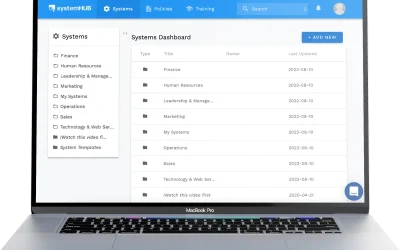
- Use a cloud-based solution like systemHUB.
- Store text, checklists, images and screen captures and embed instructional videos.
- Understand the difference between project management tools and systems documentation tools – click here to watch a video.

Tool 3: Create videos using screen capture software to delegate work and create systems/processes.
- Use a screen recording tool like Loom (alternatives are SnagIt, ShareX and Camtasia) to record and share videos with feedback or instructions.
- Use it to record your processes and turn them into systems.
- Then feed the transcript of the recording into an AI tool to draft the written steps. Process Pal does this for free.
Tool 4: Develop flowcharts to take your most used systems to the next level.
- Lucidchart is used for creating flowcharts (alternatives are Google Drawings, diagrams.net and LibreOffice Draw).
- Use flowcharts as the next level of a system to summarise an entire process into one page.
- Use flowcharts to build in checks and measures. This ensures things are checked off at the appropriate time.
- Use flowcharts for important systems that involve money, safety or sensitive information.
- Embed the flowcharts in your online system software.
How strong are the systems holding your business together?
Take our free test to get a score across 7 core business areas — and see exactly where your gaps are.
Tool 5: Use task management software to track “who is doing what by when”.
- Use TeamWork (alternatives are Trello, Basecamp, ZohoProjects, and Asana) to manage internal tasks and to-dos.
- Take the repetitive tasks and workflows and turn them into templates in the task management software.
- As a manager, you’ll be able to see what team members are working on and the time they’re spending on tasks.

Tool 6: Use a quality modern CRM (Customer Relationship Management) system and add marketing automation to your business.
- Popular choices are ActiveCampaign, Ontraport, Keap (formerly Infusionsoft) and HubSpot.
- Use your CRM to manage communication and automate the interactions with your customers.
- Example: use a CRM to create sign-up forms, set autoresponders, email marketing with split testing, and track open rates and click rates.
Tool 7: Hire a Virtual Assistant to help with repetitive tasks that aren’t the best use of your time.
- Outsource tasks that don’t require people to be physically in your office.
- Example: Updating price lists, keyword research, article writing.
- Look to services like upwork.com, freelancer.com and www.fiverr.com to find the best person for the job, at the best rate.
So now you have the direction and tools to better workflows, and you’re well on the road to becoming more clear and focused about where you and your business are heading. There’s just one last essential step – ACTION. Whether you choose to start with just one of the tools or all of them, the most important thing is to just start!
Want a hand with the next step? Start with what an SOP is, learn how to write one, grab the free SOP templates or see examples of the business systems every business needs. Or contact us.

Ready to store and share all your systems in one place?
systemHUB is built for exactly what Dale describes — start your free trial and have your first system documented today.
Frequently asked questions
How do I systemise my business?
Get what's in your head onto the page. Map your departments, record how the work is done, turn the recordings into short written steps, test them with someone new and store them in one place your team can find. The seven tools on this page show how.
What is the first step to systemising a business?
Pick one process, not the whole business. Choose the one causing the most pain, such as the task that generates the same questions over and over, and document that first. Get it working and then move to the next.
How long does it take to systemise a business?
Most businesses can document their core systems within about 90 days using a focused approach. The full journey to a business that runs without you often takes 12 to 18 months. Start with the most critical systems and build momentum.
Do I need software to systemise my business?
No. What matters is a central, accessible place where your team can find and follow the systems. A shared folder or a printed binder is a fine start. Software like systemHUB makes it easier to organise, search and maintain systems as you grow.
Who should document the systems?
Not the business owner. Have the person who does the task best (the knowledgeable worker) perform it while someone else records and documents it. That two-person approach is faster and captures the steps people do on autopilot.
System Architect – Dale Beaumont
Dale Beaumont is best known as an award-winning entrepreneur, technology enthusiast and passionate promoter of education.
Having started his first business at the age of 19, Dale went on to build three different million-dollar companies before the age of thirty.
One of these companies saw Dale write and publish 16 best-selling books, which have collectively sold over a quarter of a million copies. Incredibly, 11 of those 16 books were published in a single year, a feat that earned him the title “Australia’s Most Prolific Author”.

This was followed by the launch of Business Blueprint, an education company designed to help fellow entrepreneurs build the business of their dreams. Seven years later Dale has personally trained over 15,000 people and produced over 750 business training videos.
In 2015 Dale decided to go global and he set a goal to help 1,000,000 entrepreneurs from around the world discover the blueprint for business success. To achieve this Dale launched “The World’s First 24-Hour Small Business Channel“. Streaming live on all smartphones, tablets, computers and televisions, the channel now broadcasts business education in 185 countries across the globe.
As a result of Dale’s success, he has been interviewed on Sunrise, Today Show, Mornings, Ten News, ABC Radio, and Radio 2UE as well as being featured in over 100 newspapers and magazines, including Wealth Creator, My Business Magazine, AFR Boss and Virgin’s In-flight magazine.
On a personal note in 2007 Dale became a father and decided to start travelling with his young family. Following the formula, two months work one month adventure, Dale with his wife Katherine and two boys has now travelled to over 60 countries. This includes stepping foot on all seven continents (yes even Antarctica), visiting all five Disneyland parks and volunteering in several orphanages.
Plus for the last five years, Dale and his wife Katherine have been supporting the charity ‘Hands Across the Water’, which builds homes for orphans living in Thailand. By partnering with their clients their company has now collectively raised over $1,000,000, which now supports 300 children with food, education, medical needs and most importantly love.