What if the fastest way to document your business processes was to stop writing altogether?
Most business owners approach process documentation the hard way. They open a blank document, try to type out every step from memory, get halfway through, and abandon the project. Six months later, they try again. Same result.
The problem isn’t a lack of discipline. It’s a flawed method. There’s a faster, more reliable approach to process documentation, and it starts with a camera, not a keyboard. In SYSTEMology, we call it the extraction method. You record the person who already knows how to do the task, then have someone else turn that recording into written documentation.
In this guide, you’ll learn what process documentation actually involves, why it matters for growing businesses, and the step-by-step method that’s helped hundreds of business owners capture their processes without the blank-page paralysis.
In this guide:
- What is process documentation?
- Why process documentation matters for growing businesses
- The extraction method: how to document processes the SYSTEMology way
- Types of process documentation
- Process documentation best practices
- Where to store your process documentation
- Real-world process documentation examples
- Common mistakes with process documentation
- Frequently asked questions
What is process documentation?
Process documentation is the practice of capturing, organising, and storing how work gets done in your business. It’s the full picture: not just the written steps, but the video recordings, checklists, flowcharts, reference guides, and supporting materials that show your team exactly how to complete a task to a consistent standard.
Think of it this way. Your business already has processes. Every time a client enquiry comes in, someone handles it. Every time an invoice goes out, someone follows a sequence of steps. Every time a new hire starts, someone walks them through their first week. These processes exist whether they’re documented or not.
The question is whether those processes live inside one person’s head or inside a system your whole team can access.
Process documentation vs. writing a procedure.
Process documentation is the broader discipline. It includes choosing which processes to capture, deciding how to record them, creating the documentation, storing it, and keeping it updated. Writing a procedure is one step within that discipline: the act of turning captured knowledge into a written, step-by-step format. This guide covers the full picture. If you’re looking specifically for how to write an individual procedure, that guide will take you deeper.
Process documentation is also not a one-time project. It’s an ongoing practice that grows with your business. You start with the most critical processes, get them captured, and then expand from there. Over time, your documentation becomes a living library that your team references daily.
That’s the real goal. Not a dusty folder of documents nobody reads. A working system that makes your business run better every single day.
Why process documentation matters for growing businesses
When things are running smoothly, undocumented processes feel invisible. Your team knows what to do. Clients are getting served. Revenue is coming in. Why bother writing any of it down?
Then something changes. A key team member leaves. You hire three new people in a month. A client complains about inconsistent service. Suddenly, the gaps become painfully obvious.
Here’s why process documentation deserves your attention before the cracks appear.
1. It removes you as the bottleneck
If your team can’t complete tasks without asking you, you’re the constraint on your own business. Every question that lands in your inbox pulls you away from the strategic work that actually drives growth. Process documentation captures your knowledge so your team can operate without your constant input.
I’ve seen this first-hand. When I was running my digital agency, I was the answer to every question. Every decision ran through me. Once I started documenting our critical processes, something shifted. My team stopped asking and started executing. That’s when I realised the importance of documentation wasn’t about control. It was about freedom.
2. New team members get up to speed faster
Without documentation, onboarding depends entirely on who trains the new hire and what that person remembers to cover. One trainer might spend three hours explaining the client intake process. Another might forget half the steps. The result? Inconsistent training and a new hire who takes months to become productive.
With documented processes, a new team member can follow the steps, watch the recordings, and start contributing within days. They have something to reference when they’re unsure, without interrupting a senior team member every time.
3. Your team delivers consistent quality
Without a single source of truth, every team member develops their own version of “how we do things.” One person follows up with clients within 24 hours. Another waits a week. Someone sends a detailed welcome email. Someone else sends nothing at all.
Process documentation gives your team a standard to follow. Not because they can’t think for themselves, but because consistency builds trust with your clients. Documented repeatable processes are what separate a professional operation from a disorganised one.
4. Your business becomes a scalable, sellable asset
A business that depends on the owner’s presence isn’t really a business. It’s a job. And it’s a job that’s very hard to sell. Process documentation transforms your operation from something that needs you into something that runs without you. That’s what makes a business valuable to a buyer, an investor, or simply to you when you want to take a proper holiday.
This is the path toward systemising your business so it works independently.
5. You protect against knowledge loss
What happens when your best salesperson leaves? Or your operations manager gets sick for three weeks? If their knowledge lives only in their head, it walks out the door with them. Process documentation is insurance. It captures what your team knows and makes it available to everyone, regardless of who stays and who goes.

The old way: everything runs through the owner.

The SYSTEMology way: your team runs the systems, you run the business.
Want ready-made templates to start documenting your processes?
Browse our library of free SOP templates, ready to customise for your business.
The extraction method: how to document processes the SYSTEMology way
Here’s where most process documentation advice goes wrong. It tells you to sit down with a blank document and start typing. Interview stakeholders. Map workflows. Create elaborate flowcharts with decision diamonds and swim lanes.
That approach works in theory. In practice, it rarely gets finished.
The SYSTEMology extraction method takes a completely different approach. Instead of writing documentation from scratch, you record the person who already knows how to do the task. Then you have someone else turn that recording into written documentation.
Two people. Two roles. One does the work and talks through it. The other watches the recording and writes it up. That’s it.
The two key roles in process documentation.
The knower (knowledgeable worker): The person who already does this task well. They have the knowledge in their head. Their job is simple: do the task as they normally would, and talk through each step while being recorded.
The systems champion: The person who takes the recording and turns it into written documentation. They don’t need to know how to do the task themselves. They need to be organised, detail-oriented, and good at following instructions. Think of them as the translator between someone’s expertise and a document the rest of the team can follow.
This is the secret that changed everything for me. When I was trying to systemise my digital agency, I kept hitting the same wall. My team was too busy doing the work to stop and document it. And asking them to do both, to perform the task and write the documentation, met with resistance every single time.
The breakthrough came when I started a podcast where I’d interview experts about their step-by-step processes. I’d then give those recordings to my team to document. That very first episode covered everything about producing a podcast, and my team turned it into a system we still use to this day. That idea evolved into the extraction method at the heart of SYSTEMology.
Here’s how it works, step by step.
1. Identify the result you want from this process
Pick one process from your list of processes and procedures to document. Start with something simple so you can become familiar with the method. Alternatively, pick a process that’s causing a specific problem right now. If client delivery is inconsistent, start there. If new hires keep getting stuck in their first week, document onboarding.
Define the outcome clearly. What does “done well” look like for this task?
2. Identify the knower
Who on your team does this task best? Not perfectly, just best. This is the person whose knowledge you want to capture. They’re the one you’ll record.
In SYSTEMology, this person is called the “knowledgeable worker” or simply the knower. They don’t need to be a manager. They just need to be someone who consistently produces good results with this task.
3. Choose your capture method
How will you record the knower doing the task? The method depends on the type of work.
- Office or computer-based tasks: Use screen-recording software (Loom, Camtasia, or similar). The knower shares their screen and talks through each step as they complete it.
- Physical or field-based tasks: Use a camera or smartphone. Film the person doing the task in real time. A GoPro or phone on a tripod works well for hands-on work.
- Phone-based tasks (sales calls, client check-ins): Use a call recording app or dictaphone. Capture the conversation and have the knower explain the process before and after.
- Complex or multi-stage tasks: Record in segments. You don’t need to capture everything in one take. Record the stages separately and piece them together during documentation.
Tip: If it’s not possible to capture the actual task happening live, have the knower roleplay the process or walk the systems champion through it step by step. Always look for the method that creates the least friction for the team member.
4. Record the task being completed
Hit record and let the knower do their thing. Before you start, frame the purpose clearly: “We’re capturing how you do this so other team members can follow the same process. You don’t need to be perfect. Just do it the way you normally would and talk through each step.”
A few things that help the recording go smoothly:
- Ask the knower to jot down a few bullet points beforehand, just the key steps. This helps them think through a task they may have been doing on autopilot for years.
- Stress that you’re not looking for perfection. Capture how things are done now. Optimising comes later.
- If they make a mistake, don’t restart. Have them explain what went wrong and carry on. Mistakes can be edited out later, or kept in if they show how to recover from common errors.
- Not everyone is comfortable being recorded. A little preparation and a calm, low-pressure setup go a long way.
The final recording won’t be polished. It might be a bit rough around the edges. That’s perfectly fine. It’s raw material, not the finished product.
5. Store the recording and create a system entry
Save the recording in your systems management platform and create a new entry for this process. Include the system title, a brief description of the outcome, a link to the video recording, and the name of the knowledgeable worker who recorded it.
6. Have the systems champion create written documentation
This is where the magic happens. Your systems champion watches the recording and writes out the steps in a clear, linear format. “Step 1: Do this. Step 2: Do that.” Each step should be as detailed as it needs to be, with sub-bullets for clarification where required.
The systems champion doesn’t need to be an expert in the task. They just need to be able to watch a recording and translate what they see into clear instructions. In fact, not being an expert is often an advantage. They’ll notice assumptions the knower makes and fill in the gaps.
7. Review and test the documentation
Send the written documentation back to the knower for review. But don’t just ask them to read it. Ask them to follow the steps the next time they complete the task and flag anything that’s missing, unclear, or out of order.
Most people prefer to edit something that already exists rather than create something from a blank page. That’s why this method works. The knower reviews and refines, rather than having to create from scratch.
Then comes the real test: have a different team member follow the documentation to complete the task. If they can do it successfully with minimal questions, your process documentation is solid.
1
Record
Capture the knower doing the task on video
2
Document
Systems champion turns recording into written steps
3
Test
Another team member follows the steps to verify
Types of process documentation
Process documentation isn’t one thing. It’s a toolkit. Different tasks call for different formats, and the best documentation libraries use a mix. Here are the main types you’ll work with.
1. Video walkthroughs
These are the raw recordings from the extraction method. A screen recording of someone completing an office task, or a camera recording of a physical process. Video walkthroughs are the fastest type of process documentation to create because you’re not writing anything. You’re simply capturing someone doing what they already know how to do.
They’re also the most useful for visual and hands-on tasks. Showing someone how to navigate a software tool or assemble a product is far more effective on video than in written text. Keep the original recordings even after you create written documentation. They serve as a reference layer your team can revisit when the written steps aren’t quite enough.
2. Standard operating procedures (SOPs)
Standard operating procedures are the written, step-by-step instructions for completing a task. They’re the backbone of most process documentation libraries. A good SOP includes a clear title, a brief description, a trigger (what kicks off the process), numbered steps, and an endpoint (how you know the task is done).
SOPs work best for tasks that follow a predictable sequence. Processing a new client order, running payroll, handling a support ticket. If someone new needs to learn the task, the SOP is the first thing they should read.
3. Checklists
Checklists are simplified versions of SOPs. They list the key steps or items to verify, without detailed instructions for each one. They’re ideal for experienced team members who already know how to do the task but need a quick reference to make sure they don’t miss a step.
Think of a weekly close-out checklist, a pre-meeting preparation list, or a quality assurance review before a deliverable goes out the door. If you’re looking for inspiration, read our guide on creating everyday procedures for practical examples.
4. Flowcharts and decision trees
Some processes aren’t linear. They branch depending on the situation. “If the client says yes, do this. If they say no, do that.” Flowcharts and decision trees map these branching paths visually.
They’re useful for processes like troubleshooting, client triage, or escalation procedures. A word of caution: keep them simple. Overly complex flowcharts with dozens of decision points become wall decorations nobody actually uses. Focus on the three to five key decision points that matter most.
5. Quick reference guides
A quick reference guide is a one-page summary for experienced staff. It lists the key steps, important links, login details, or critical thresholds for a task. It assumes the reader already knows the process and just needs a fast reminder.
These are particularly handy for tasks your team does monthly or quarterly. Infrequent enough that the steps aren’t memorised, but familiar enough that a full SOP feels like overkill.
6. Onboarding packets
An onboarding packet bundles multiple pieces of process documentation into a single resource for new hires. It typically includes the SOPs for their core responsibilities, video walkthroughs of key systems, checklists for their first week, and reference guides for tools they’ll use daily.
Instead of pointing a new hire at your entire documentation library and saying “have a read,” you give them a curated path that covers exactly what they need in their first 30 days.
Process documentation best practices
You can have the right tools, the right method, and the right intention, and still end up with documentation that gathers dust. These are the practices that separate documentation that gets used from documentation that gets ignored.
1. Start with your Critical Client Flow, not random tasks
Don’t try to document everything at once. In SYSTEMology, you identify your Critical Client Flow (CCF) first: the core sequence of steps that takes someone from first contact through to becoming a paying, satisfied, repeat client. The processes within that flow are your highest-priority documentation targets.
Why? Because these are the processes that directly impact revenue, client experience, and your ability to grow. Document these first, and you’ll see results faster than if you started with the office coffee-machine instructions.
2. Make it a two-person job
This is the first secret of the extraction method. Never ask one person to both perform the task and write the documentation. The knower records. The systems champion documents. Splitting these roles removes the biggest source of resistance: asking a busy, skilled team member to stop what they’re doing and write.
3. Capture version one, not the perfect version
Your first documented version of a process will not be perfect. It might miss a step. The wording might be clunky. The recording might be a bit rough. That is completely fine.
The Kaizen philosophy is embedded deeply in SYSTEMology. Nothing is ever finished or considered perfect. There’s always room for improvement. Get version one done, test it, refine it, and improve it over time. Waiting for perfection means nothing gets documented at all.
4. Keep documentation simple and scannable
A step should be one clear action. Use short sentences. Number the steps. Use sub-bullets for clarification, not entire paragraphs of explanation. Your team should be able to scan the main headings and know what to do. The detail is there for when they need it.
As Reed Hastings, founder of Netflix, put it: “What we failed to understand is by dummy proofing all the systems that we would have a system where only dummies wanted to work there.” Don’t write for the lowest common denominator. Write for smart people who need clear instructions.
5. Store everything in one central, searchable location
The best process documentation in the world is useless if nobody can find it. Choose a single platform for storing your documentation and stick with it. No more “check the shared drive… or was it in that email… or maybe the wiki?” One place. Everyone knows where it is. Everyone has access.
6. Schedule regular reviews and updates
Processes change. Tools get upgraded. Team members find better ways to do things. If your documentation doesn’t evolve with your business, it becomes outdated and your team stops trusting it.
Set a quarterly review cycle. Have the knower or the team member who uses the process most review the documentation and flag anything that’s changed. Small, regular updates are far easier than a massive overhaul every two years.
SYSTEMology principle: You don’t need to document everything at once. Start with 5 to 7 processes from your Critical Client Flow, get those solid, then expand. Momentum beats perfection.
Ready to store and manage your process documentation in one place?
systemHUB gives your team a central home for every SOP, video walkthrough, and checklist in your business.
Where to store your process documentation
You’ve recorded the task. You’ve created the written documentation. Now you need somewhere to put it. This decision matters more than most business owners realise, because the wrong storage method means your team won’t use it.
Here are the most common options, along with their trade-offs.
1. Purpose-built systems management software
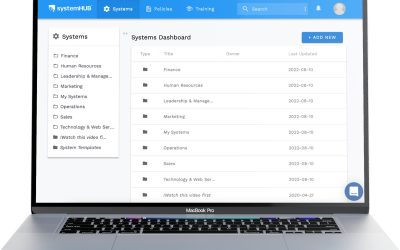
Platforms designed specifically for storing and managing business processes, like systemHUB. These give you a searchable library, version control, user permissions, video embedding, and AI-powered tools to help with documentation. The advantage is that everything lives in one dedicated place, organised by department, with a consistent structure your whole team can navigate.
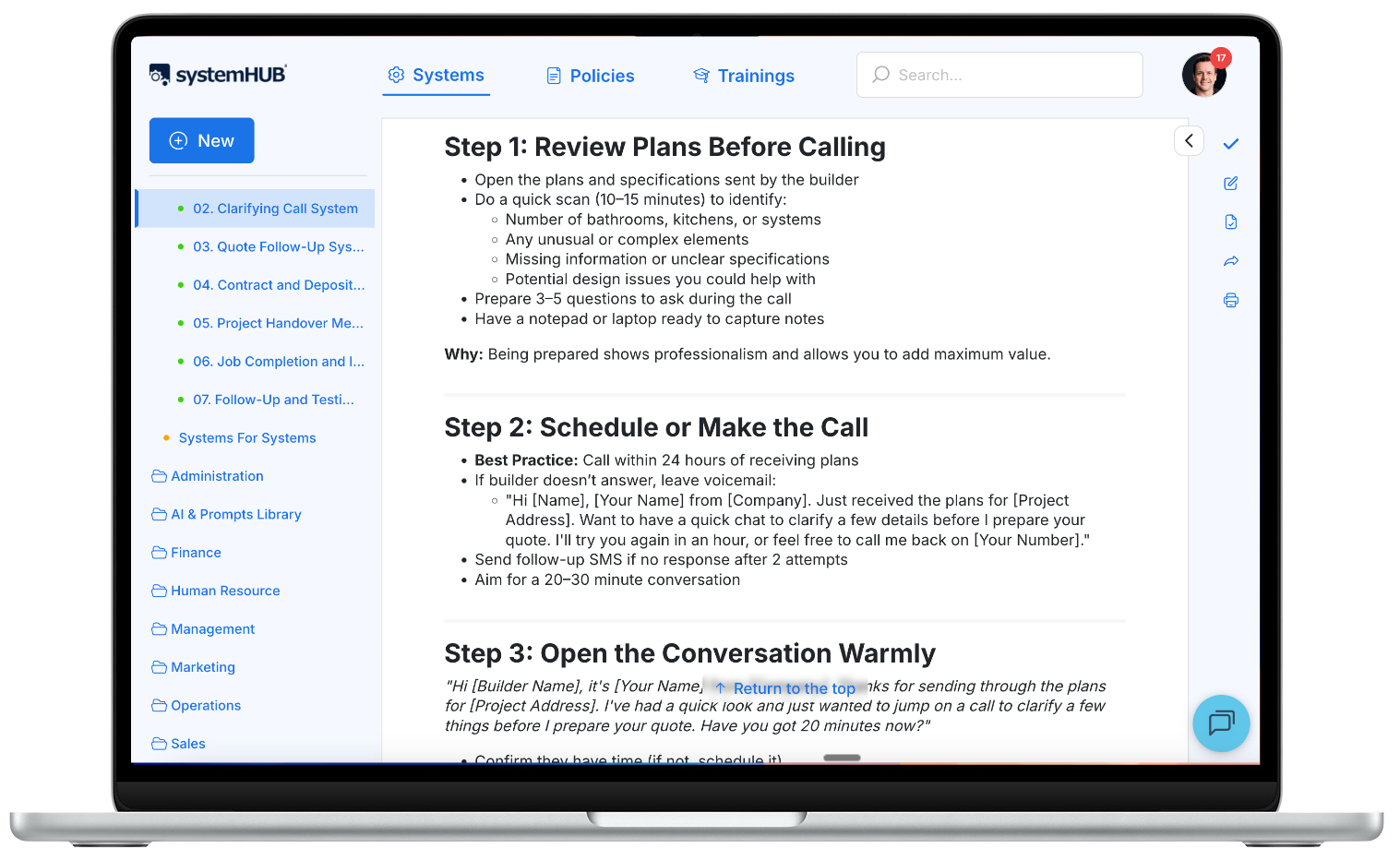
systemHUB: a central home for all your process documentation, organised by department.
2. Cloud storage (Google Drive, Dropbox, OneDrive)
Many businesses start here because it’s familiar. You create a folder structure, add documents and recordings, and share access with the team. It works for small teams, but as your documentation grows, things get harder to find. There’s no built-in search across document contents, no version tracking, and no structured way to organise processes by department or role.
3. Wiki-style tools (Notion, Confluence, internal wikis)
Wikis allow for interconnected pages and some structure. They’re better than cloud folders for navigating between related processes. The downside is that they’re general-purpose tools, not specifically designed for business process documentation. You’ll spend time setting up templates and structures that a purpose-built platform provides out of the box.
4. The “anywhere but nowhere” principle
Here’s the truth: the best storage system is the one your team will actually use. If you’re just getting started with process documentation, don’t let the choice of platform slow you down. A Google Doc that your team references every day is infinitely better than a sophisticated platform nobody logs into.
Start where your team is comfortable. As your library grows and your needs become clearer, you can migrate to a more structured solution.
Real-world process documentation examples
Theory is helpful. Examples are better. Here are three process documentation examples from common business functions. Each follows the SYSTEMology format: a clear trigger, numbered steps, and a defined endpoint.
Sales: Handling an incoming enquiry
Trigger: A new enquiry is received via phone, website form, or email.
- Log the enquiry in the CRM with the prospect’s name, contact details, and source.
- Acknowledge the enquiry within 2 hours (phone call or personalised email).
- Ask qualifying questions to determine fit: budget range, timeline, specific needs.
- If qualified, schedule a discovery call within 48 hours and send a calendar invite with an agenda.
- If not qualified, send a polite redirect with alternative resources.
- Update the CRM record with qualification notes and next action.
Endpoint: Enquiry is logged, prospect is qualified, and the next step (discovery call or redirect) is confirmed.
Operations: Client onboarding process
Trigger: A new client has signed their agreement and made their first payment.
- Send the welcome email with the onboarding questionnaire link (Paperform) within 24 hours.
- Create the client folder in the project management tool with all standard templates.
- Schedule the kick-off call within 5 business days of payment.
- Review the completed questionnaire before the kick-off call.
- Conduct the kick-off call: introduce the team, confirm goals, walk through the project timeline.
- Send the kick-off summary email with action items and deadlines within 24 hours of the call.
- Assign the first deliverables to the relevant team members.
Endpoint: Client has received their welcome materials, completed the kick-off call, and the first deliverables are assigned with deadlines.
Finance: Weekly invoicing procedure
Trigger: Every Friday at 10:00 AM.
- Open the project management tool and review all completed deliverables from the past week.
- Cross-reference against the client agreements to confirm billable items and rates.
- Create invoices in the accounting software for each billable client.
- Double-check invoice details: amounts, descriptions, payment terms, and due dates.
- Send invoices via email with a brief cover note.
- Log each invoice in the accounts receivable tracker with the sent date and due date.
Endpoint: All invoices for the week are sent, logged, and the accounts receivable tracker is up to date.
Notice that each example is specific enough to follow but not so detailed that it reads like a novel. That’s the sweet spot for process documentation. If you need guidance on building out the written steps in more detail, our SOP creation beginner’s guide walks through the format step by step.
Common mistakes with process documentation
Even with the right method, there are pitfalls that trip up business owners. Here are the most common ones and how to avoid them.
Trying to write everything from scratch. This is the number one reason process documentation projects fail. Sitting down with a blank document and trying to type out a process from memory is slow, incomplete, and painful. Record the knower first. Write from the recording. Every time.
Over-documenting with screenshots and flowcharts nobody uses. More detail doesn’t always mean better documentation. Epic documents with hundreds of screenshots, roman numeral sub-lists, and elaborate flowcharts look impressive but rarely get read. Keep it simple. Short steps. Clear language. If someone needs more context, they can watch the video recording.
Documenting random processes instead of starting with the CCF. Without a priority framework, teams end up documenting whatever feels easiest rather than what matters most. Start with your Critical Client Flow. These processes directly impact revenue and client experience. Everything else can wait.
Making one person responsible for both knowing and documenting. Asking a busy, skilled team member to explain a process and write it up is asking for resistance. Split the roles. The knower records. The systems champion documents. This single change removes more friction than any other.
Creating documentation but never testing it. A process document that hasn’t been tested by someone other than the knower is just a theory. The real test is whether a different team member can follow the documentation and produce a good result. If they can’t, refine it. If they can, you’ve got a solid system.
Frequently asked questions
What is process documentation?
Process documentation is the practice of capturing, organising, and storing how work gets done in a business. It includes video recordings, written standard operating procedures, checklists, flowcharts, and reference guides. The goal is to make your team’s knowledge accessible, consistent, and independent of any single person.
What is the best way to document a business process?
The most effective method is to record the person who already does the task well (the knower) and then have a separate person (the systems champion) turn that recording into written documentation. This extraction method is faster and more accurate than trying to write documentation from memory. It’s the core of the SYSTEMology approach to process documentation.
What should be included in process documentation?
At minimum, each documented process should include a clear title, a brief description of the outcome, the trigger (what kicks off the process), numbered step-by-step instructions, the endpoint (how you know it’s done), a link to the video recording, and the name of the knowledgeable worker. You may also include relevant templates, supporting files, and notes about common variations.
How do you document a process step by step?
Start by recording the knower completing the task from start to finish. Then have the systems champion watch the recording and write out each step in sequence. Each step should describe one clear action. Add sub-bullets for clarification where needed. Send the draft back to the knower for review, then test it by having a different team member follow the steps. Refine based on their feedback.
What tools can I use for process documentation?
For recording, screen capture tools like Loom or Camtasia work well for computer-based tasks. A smartphone or GoPro handles physical tasks. For storing and managing documentation, purpose-built platforms like systemHUB provide search, version control, and team access. Cloud storage tools (Google Drive, Dropbox) work for getting started, but purpose-built software scales better as your library grows.
How often should process documentation be updated?
Review your critical process documentation quarterly. When tools change, team structures shift, or someone discovers a better way to complete a task, the documentation should be updated to reflect current practice. Small, regular updates are far easier than a massive overhaul every year or two. The person who uses the process most is usually the best reviewer.
What’s the difference between process documentation and an SOP?
Process documentation is the broader practice. It includes everything involved in capturing and managing how work gets done: video recordings, standard operating procedures, checklists, flowcharts, and more. An SOP is one specific type of process documentation: a written, step-by-step instruction set for completing a particular task. SOPs are a component of your larger process documentation library.
How do I get my team to actually follow documented processes?
Three things make the difference. First, involve your team in creating the documentation. When the knower records the process and the systems champion writes it up, they have ownership over the result. Second, make it easy to find. Store documentation in one searchable location, not scattered across folders and emails. Third, test and refine. Documentation that’s been tested by the people who use it is documentation they trust. For more on building a systems-driven culture, read our guide on how to systemise your business.
Your team already knows how to do the work. Your job is to capture it before it walks out the door.
Process documentation doesn’t have to be a massive, dreaded project. Start with one process. Record the knower. Have the systems champion write it up. Test it. Then do the next one. Before long, you’ll have a library of documented processes that your team actually uses, and a business that runs without you in the middle of every decision. Explore systemHUB to see how it all comes together.