Can you remember the first time you used a computer?
Whether it was a clunky desktop, a family laptop, or something even older, you probably had a manual. A step-by-step guide that walked you through the basics so you didn’t break anything or get completely lost.
Your business is no different. Every company runs on processes. The question is whether those processes are written down somewhere your team can find them, or whether they exist only in the heads of your best people.
That’s what business process management systems are supposed to solve. But here’s the problem: most BPM software is built for massive enterprises with dedicated process teams, six-figure budgets, and months of implementation time. If you’re running a business with 10 to 50 people, that world feels completely disconnected from yours.
So what do you actually need? Let me walk you through it.
In this guide:
What are business process management systems?
Business process management systems (BPM systems) are the tools and methods you use to document, organise, and improve the way work gets done in your business. At their core, they answer a simple question: how do we do things around here?
The term gets used in two ways, and the distinction matters.
First, there’s BPM as a discipline. This is the practice of mapping out your workflows, making sure they’re consistent, and continuously improving them. Every business does this to some degree, even if it’s informal.
Second, there’s BPM as software. These are the platforms designed to help you manage those workflows digitally. And this is where things get confusing, because the BPM software market is dominated by enterprise-grade tools that most small businesses will never need.
Business process management in plain English:
It’s the practice of writing down how your business operates, storing those processes somewhere your team can access, and improving them over time. The “system” is whatever tool or method you use to make that happen. It doesn’t need to be complicated.
When someone talks about BPM systems, they might mean anything from a full-blown enterprise platform with BPMN flowcharting and process mining, to a straightforward tool where your team documents their standard operating procedures and keeps them organised by department.
For most small and mid-sized businesses, the second version is what you actually need. You don’t need process notation languages. You need your team to be able to find and follow the right process at the right time.
Why your business needs process management
If everything in your business runs through you or a handful of key people, you don’t have a business. You have a job that happens to employ other people. Business process management is what changes that.
Here are five reasons it matters, regardless of what industry you’re in.
1. Consistency across your team
Without documented processes, every team member does things their own way. One person’s version of “handling a customer complaint” looks completely different from another’s. The result is inconsistent outcomes, frustrated clients, and a lot of time spent fixing things that shouldn’t have gone wrong in the first place.
When processes are written down and accessible, everyone follows the same playbook. The quality of work stops depending on who’s doing it.
2. Faster onboarding and training
How long does it take to get a new hire up to speed? If the answer is “months” or “it depends on who’s training them,” your processes aren’t documented well enough. A solid process management system turns onboarding from a guessing game into a clear path. New team members know exactly what to do, how to do it, and where to find the instructions.
This is especially powerful when you’re systemising your business for the first time. The documentation you create becomes your training library.
3. Less owner-dependency
This is the big one. If your business can’t function without you for a week, you’re the bottleneck. Business process management is how you transfer the knowledge that lives in your head into a system your team can follow independently.
In SYSTEMology, I call this the shift from being the person who does the work to being the person who designs how the work gets done. That shift is impossible without documented processes.
4. Clear accountability
When processes are documented, you can assign ownership. Someone is responsible for each system. Someone knows when it needs updating. Someone can be held accountable for the outcome. Without this, problems get passed around and nothing improves because nobody owns the process.
5. A foundation for growth and automation
You can’t scale what isn’t documented. And you can’t automate what you haven’t mapped out. Business process management gives you the foundation for both. Once a process is written down and working reliably, you can hand parts of it to technology through business process improvement and eventually process modelling that supports automation.
Every business that successfully automates starts here. Not with the software. With the systems.

The old way: everything runs through the owner.

The SYSTEMology way: your team runs the systems, you run the business.
How strong are your business systems right now?
Take a free 2-minute assessment to find out where your processes stand and where to focus first.
BPM vs SOP software: what’s the difference?
This is where a lot of business owners get stuck. You start researching “business process management software” and end up looking at enterprise platforms that cost thousands per month and require a dedicated administrator. Meanwhile, what you actually need is a place to store and manage your SOPs.
Let me break down the difference.
Enterprise BPM Software
- Built for large organisations (500+ employees)
- Uses BPMN flowcharts and process notation
- Requires trained administrators to set up
- Focuses on process mining and analytics
- Expensive (-,000+/month)
- Long implementation timelines
- Examples: Bizagi, Appian, Kissflow, Pega
SOP / Process Management Software
- Built for small to mid-sized businesses (10-50 people)
- Uses plain-language documentation
- Any team member can create and edit processes
- Focuses on practical day-to-day use
- Affordable (-/month)
- Set up and start documenting in a day
- Examples: systemHUB, Trainual, SweetProcess
Which one do you need?
If you run a business with fewer than 100 employees and your main goal is to get processes out of people’s heads and into a central location your team actually uses, you need SOP and process management software. Enterprise BPM is overkill. The best BPM system for a small business is one your team will actually open, use, and keep updated. That means simplicity wins every time.
The real risk isn’t choosing the “wrong” category. It’s spending six months evaluating enterprise tools when you could have documented your first 20 processes in a week using something built for your size of business.
Think of it this way: a business process diagram is useful for complex workflows. But for most of the processes your team runs daily, a clear written procedure with steps, screenshots, and a short video walkthrough is far more practical.
What to look for in a BPM system
Whether you call it BPM software, SOP software, or process management software, here’s what actually matters when choosing a tool for your business.
- Easy to use. If your team can’t figure it out without training, they won’t use it. The fanciest features in the world are worthless if adoption is low. Look for something intuitive that your least tech-savvy team member can navigate.
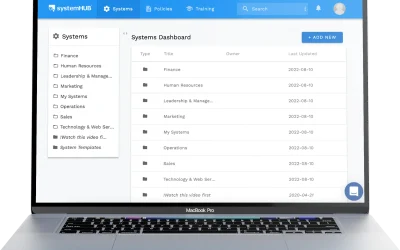
- Central location for all processes. Your SOPs shouldn’t be scattered across Google Docs, shared drives, email threads, and someone’s notebook. Everything needs to live in one searchable place. That’s what systemHUB is built for.
- Department organisation. You need to organise processes by department: Marketing, Sales, Operations, Finance, HR, and Management. This makes it easy for people to find what’s relevant to them without scrolling through hundreds of documents.
- Search and discoverability. When someone needs a process, they should be able to search for it and find it in seconds. If finding the right SOP takes longer than just asking a colleague, your system has failed.
- Video and multimedia support. The fastest way to document a process is to record someone doing it. Your BPM system should support embedded videos alongside written steps, not force you to choose one or the other.
- AI-assisted documentation. Modern process management tools use AI to help draft, improve, and structure your SOPs. This dramatically reduces the time it takes to go from “nothing documented” to “comprehensive process library.”
- Integrations with project management. In SYSTEMology, I talk about the “magic pair”: your systems management tool (where processes are documented) paired with your project management tool (where tasks get tracked). Your BPM system should connect to tools like Asana, Monday, or Trello so documented processes translate into assigned work.
- Affordable pricing for small teams. You shouldn’t need to spend enterprise money to manage your processes. Look for pricing that scales with your team size, not pricing that assumes you have a department dedicated to BPM.
How to implement process management in your business
If you’re starting from scratch, the idea of documenting every process in your business can feel overwhelming. The good news is you don’t need to do it all at once. The SYSTEMology approach breaks it into three clear phases.
1
Define
Identify your most critical processes first
2
Assign
Get the right people to document them
3
Extract
Record the knowledge and store it centrally
Step 1: Define your Critical Client Flow
Don’t try to document everything. Start with the processes that directly impact your clients and revenue. In SYSTEMology, we call this your Critical Client Flow: the series of steps from the moment a lead enters your world to the moment they become a happy, paying customer.
Map out this flow and identify the key systems within it. For most businesses, this covers somewhere between 10 and 15 core processes across sales, onboarding, delivery, and follow-up. These are the ones that matter most.
This focused approach means you’re building your process management system around the work that actually drives your business, not getting lost documenting how to refill the printer.
Step 2: Assign the right people
Here’s a common mistake: the business owner tries to document everything themselves. That’s a recipe for burnout and abandoned projects.
Instead, identify who in your team is the best person for each process. Not the manager. The person who actually does the work every day. They’re the knowledgeable worker, and they know the real steps, shortcuts, and exceptions better than anyone.
Even better, appoint a Systems Champion: someone on your team whose job is to coordinate the documentation effort. They don’t write every SOP. They manage the process of getting SOPs created, reviewed, and stored properly. This is the role that makes the whole thing sustainable.
Step 3: Extract and store the knowledge
The fastest way to get a process documented is to have the knowledgeable worker record themselves doing it. A screen recording or a quick video walkthrough captures the real process, not the idealised version someone might write from memory.
From that recording, you can create a written SOP with clear steps, screenshots, and any relevant links or templates. Store it in your process management system, organised by department, and make sure the team knows where to find it.
Once you have your Critical Client Flow documented, expand outward. Add processes from each of the six core departments: Marketing, Sales, Operations, Finance, HR, and Management. Over time, you build a comprehensive library that new hires can learn from, team members can reference daily, and you can use as the foundation for process management improvements.
Tip: Don’t aim for perfection on the first draft. A “good enough” SOP that your team can follow today is infinitely more valuable than a perfect one that never gets written. You can always improve it later. The key is to start.
Ready to build your process management system?
systemHUB gives you a central home for every SOP, organised by department, with AI-assisted documentation and 100+ ready-made templates to get started fast.
Common mistakes with business process management
I’ve helped hundreds of businesses implement process management systems. These are the mistakes I see most often.
Buying enterprise software for a small team. If you have 15 employees and you’re evaluating Bizagi or Appian, you’re solving the wrong problem. Enterprise BPM tools are designed for organisations with hundreds or thousands of people. For a small business, a simpler process management platform will get you further, faster, and at a fraction of the cost.
Trying to document everything at once. The “let’s document all 200 processes this quarter” approach almost always fails. People burn out, quality drops, and the project gets abandoned halfway through. Start with your Critical Client Flow. Document 10 to 15 core processes. Get them working. Then expand.
Making it the owner’s job. If the business owner is the one writing every SOP, two things will happen: the SOPs will reflect how the owner thinks things should be done rather than how they actually get done, and the project will stall the moment the owner gets busy with something else. Assign a Systems Champion and let the knowledgeable workers do the documenting.
Choosing tools over adoption. The best BPM system in the world is useless if your team doesn’t use it. Adoption matters more than features. Pick something simple, get your team comfortable with it, and build the habit of checking and updating processes regularly. A basic tool that everyone uses beats an advanced tool that nobody opens.
Skipping the “why” when rolling out to the team. If your team doesn’t understand why you’re implementing process management, they’ll see it as extra work rather than something that helps them. Explain the purpose: fewer mistakes, clearer expectations, less time spent figuring things out, and ultimately more freedom for everyone. When people understand the benefit, they get on board.
Frequently asked questions
What is a business process management system?
A business process management system is any tool or method you use to document, organise, and improve the way work gets done in your business. It can be as simple as a structured library of standard operating procedures that your team follows, or as complex as an enterprise platform with process mapping, automation, and analytics. For most small businesses, the simpler version delivers far more value.
What is the difference between BPM and SOP software?
BPM (business process management) software typically refers to enterprise-grade platforms that use flowcharts, process notation, and analytics to manage complex workflows. SOP software focuses on documenting step-by-step procedures in plain language that any team member can follow. Both help you manage processes, but SOP software is designed for practical, daily use in smaller teams, while BPM software is built for large-scale process orchestration.
Do small businesses need BPM software?
Small businesses absolutely need a way to manage their processes, but they rarely need traditional BPM software. What works better is a process management or SOP platform where your team can document, find, and follow procedures easily. The goal is to get knowledge out of people’s heads and into a system. You don’t need enterprise complexity to achieve that.
What are examples of business process management?
Common examples include documenting your client onboarding process so every new customer gets the same experience, creating a hiring checklist so recruitment is consistent, writing up your sales follow-up process so no leads fall through the cracks, and mapping out your project delivery workflow so deadlines are met. Any repeatable work that benefits from consistency is a candidate for process management.
How do I start managing business processes?
Start by identifying your Critical Client Flow: the core processes that take someone from lead to happy customer. Document those first. Have the person who actually does each task record themselves doing it, then turn that recording into a written SOP with clear steps. Store everything in a central platform your team can access. Don’t try to document everything at once. Start small, build momentum, and expand from there.
What is the best BPM tool for small business?
The best tool is the one your team will actually use. For small businesses, look for process management platforms designed for teams of 10 to 50 people. systemHUB is purpose-built for this: it organises processes by department, supports video and text SOPs, includes AI-assisted documentation, and starts at per month. Trainual and SweetProcess are other options in this category. Avoid enterprise BPM tools unless you genuinely need process mining and BPMN notation.
How much does BPM software cost?
It depends on the category. Enterprise BPM platforms like Bizagi, Appian, and Pega can cost anywhere from to ,000+ per month, often with additional implementation fees. Process management tools designed for small businesses typically range from to per month. systemHUB starts at per month for up to 10 users. The ROI comes from consistency, faster onboarding, and less owner-dependency.
Can you do BPM without expensive software?
Yes. The core of business process management is documentation, not software. You can start with a shared Google Drive folder and a template for writing SOPs. The challenge is that scattered documents become hard to find, maintain, and update as you grow. A dedicated platform makes the long-term management much easier, but the discipline of documenting and improving your processes is what matters most. Start with the habit, then invest in the tool.
The best business process management system is the one your team actually uses.
You don’t need an enterprise platform. You don’t need BPMN notation or process mining. You need a simple, practical way to document how your business works, store those processes where your team can find them, and improve them over time.
Start with your most critical processes. Get them out of people’s heads and into a system. Then build from there.
The business owners who do this well aren’t the ones with the most sophisticated tools. They’re the ones who committed to writing things down and making it a habit.
If you’re ready to start building your process library, explore systemHUB and start your free trial here.