There are hundreds of process automation tools on the market. So why do most businesses pick one, spend weeks setting it up, and abandon it within months?
It’s not because the software is bad. Zapier, Make, Power Automate, and dozens of other tools are genuinely powerful. They can connect your apps, trigger workflows, and eliminate hours of manual work every week.
The problem is that most businesses start with the tool. They browse feature lists, compare pricing plans, and sign up for free trials before they’ve answered the most important question: what exactly are we automating?
Process automation software only works when it’s built on top of clear, documented, tested processes. Without that foundation, you’re not automating a workflow. You’re automating confusion.
In this guide, I’ll walk you through the different types of process automation software, how to choose the right one, and the approach that makes these tools actually deliver results.
In this guide:
- What is process automation software?
- Types of process automation software
- Why most process automation software fails
- 7 popular process automation tools compared
- How to choose the right process automation software
- The SYSTEMology approach to process automation
- Common mistakes when choosing process automation software
- Frequently asked questions
What is process automation software?
Process automation software is any tool that executes repetitive, rule-based tasks without human intervention. Instead of a person manually copying data between apps, sending follow-up emails, or updating spreadsheets, the software handles it automatically based on predefined triggers and rules.
Think of it this way. You have a process your team follows every time a new client signs up. Someone sends a welcome email. Someone creates a project folder. Someone assigns tasks in your project management tool. Each of those steps follows the same sequence, every time. Process automation software can do all of that in seconds, without anyone touching a keyboard.
Process automation software in plain English:
Software that watches for a trigger (a form submission, a new sale, a calendar event), then executes a series of steps automatically. The result is the same as if a human did it. But nobody had to remember, and nobody dropped the ball.
It’s worth noting that process automation software is different from business process automation as a strategy. BPA is the broader concept of using technology to streamline workflows. Process automation software is the specific category of tools that make it happen.
It’s also different from marketing automation software, which focuses specifically on marketing workflows like email sequences, lead scoring, and campaign management. Process automation software covers every department: operations, finance, HR, sales, and yes, marketing too.
Types of process automation software
Not all automation tools work the same way. Before you start comparing features, it helps to understand the four main categories. Each solves a different problem.
1. Workflow automation platforms
These are the tools most small businesses think of when they hear “automation.” Platforms like Zapier, Make (formerly Integromat), and n8n let you connect different apps and create automated workflows between them. When something happens in one app, it triggers an action in another.
For example: a new row in a Google Sheet triggers an email in Gmail, creates a task in Asana, and updates a record in your CRM. All automatic. No code required.
These platforms are visual and relatively easy to use. They’re ideal for connecting the tools you already have without hiring a developer.
2. Integration platforms (iPaaS)
Integration Platform as a Service (iPaaS) tools like Workato and Tray.io are the enterprise cousins of workflow automation platforms. They handle more complex data transformations, support higher volumes, and offer deeper integrations with business-critical systems like ERP and supply chain tools.
Most small businesses won’t need these. But if you’re running a larger operation with complex data flows between multiple enterprise systems, they’re worth knowing about.
3. Robotic process automation (RPA)
RPA tools like UiPath, Automation Anywhere, and Microsoft Power Automate Desktop take a different approach. Instead of connecting apps through APIs, they mimic human actions on a computer. They can click buttons, fill in forms, copy data between screens, and navigate legacy software that doesn’t have modern integrations.
RPA shines when you need to automate tasks in older systems that don’t talk to other tools. One accounting firm used RPA to eliminate a two-hour daily admin task that involved copying data between systems that couldn’t be connected any other way.
4. Built-in tool automation
Many of the tools you already use have automation capabilities baked in. Your CRM can trigger email sequences when a deal moves to a new stage. Your project management tool can auto-assign tasks based on templates. Your accounting software can generate recurring invoices.
Don’t overlook these. Before buying a separate automation platform, check what’s already available in your existing stack. You might be surprised how much you can automate without adding another tool.
Tip: Start with your built-in tool automations first. They’re free, already connected to your data, and require less setup. Only add a workflow automation platform like Zapier or Make when you need to connect tools that don’t talk to each other natively.
Why most process automation software fails (and what to do instead)
Here’s a pattern I’ve seen play out hundreds of times. A business owner watches a YouTube video about Zapier. Gets excited. Spends a weekend building automations. Everything works beautifully for about a week. Then something changes, a workflow breaks, and nobody knows how to fix it. Three months later, the team is back to doing everything manually. The automation software subscription becomes just another line item nobody uses.
The tool wasn’t the problem. The foundation was.
In SYSTEMology, I teach a specific sequence for building a systems-driven business. You define your critical processes. You assign the right people. You extract knowledge from your best performers. You organise everything into a central system. You integrate your team. You scale. You optimise. Automation comes at the end of that sequence, not the beginning.
There’s a reason for that order. Automation amplifies whatever it’s applied to. A good, documented, tested process becomes a fast, reliable automated process. A messy, undefined process becomes a fast, messy automated process. You’re just making mistakes at machine speed.

The old way: processes live in people’s heads. Automation just codifies the chaos.

The SYSTEMology way: document first, automate second. Software amplifies a solid foundation.
The sequence that works is simple:
1
Document
Write the process down as your best person does it today
2
Delegate
Have someone else follow the steps to prove it works
3
Automate
Hand the proven, repeatable steps to process automation software
Most businesses try to jump straight to step three. That’s why their automation fails. The software wasn’t wrong. The sequence was.
Is your business ready for process automation software?
Before you invest in tools, find out whether your systems foundation is strong enough to support automation.
7 popular process automation tools compared
Once your processes are documented and tested, you need the right tool to automate them. Here’s a practical comparison of the most popular process automation software options for small and mid-sized businesses.
Zapier
Best for: Businesses that want simple, no-code automations connecting popular apps.
Key features: 7,000+ app integrations, visual workflow builder, multi-step automations (Zaps), filters and conditional logic, AI-powered workflow suggestions.
Starting price: Free tier (100 tasks/month). Paid plans from $29.99/month.
SYSTEMology fit: Excellent for small teams. Works well when you have a documented process and need to connect two or three tools that don’t integrate natively. Start here if you’re new to automation.
Make (formerly Integromat)
Best for: Businesses that need more complex logic, branching, and data transformations.
Key features: Visual scenario builder with branching paths, routers and iterators for complex workflows, error handling and retry logic, data manipulation tools, HTTP/webhook support.
Starting price: Free tier (1,000 operations/month). Paid plans from $10.59/month.
SYSTEMology fit: Great for businesses with more complex workflows that involve decision points and multiple branches. More powerful than Zapier for advanced use cases, though slightly steeper learning curve.
Microsoft Power Automate
Best for: Businesses already using Microsoft 365 that want deep integration with Office tools.
Key features: Cloud flows (API-based automations), desktop flows (RPA for legacy apps), deep Microsoft 365 integration, AI Builder for document processing, 1,000+ connectors.
Starting price: Included in many Microsoft 365 plans. Standalone from $15/user/month.
SYSTEMology fit: Strong choice if your team lives in Microsoft tools. The desktop flow capability (RPA) is particularly useful for automating tasks in older systems that lack APIs.
n8n
Best for: Tech-savvy teams that want full control and self-hosting options.
Key features: Open-source with self-hosting option, visual workflow editor, code nodes for custom logic, 400+ integrations, AI agent capabilities.
Starting price: Free (self-hosted). Cloud plans from $24/month.
SYSTEMology fit: Best for businesses with a technical team member who can manage setup and maintenance. Offers more flexibility than Zapier or Make, but requires more hands-on management.
HubSpot Workflows
Best for: Businesses using HubSpot CRM that want automation built into their sales and marketing processes.
Key features: Contact and deal-based workflows, email automation, lead scoring and routing, task creation and assignment, custom workflow actions.
Starting price: Included in HubSpot Professional plans (from $890/month for Marketing Hub).
SYSTEMology fit: If HubSpot is your CRM, use its built-in workflows first before adding external automation tools. Map your processes and procedures first, then translate them into HubSpot workflows.
Asana / Monday.com (built-in rules)
Best for: Teams that want to automate task management and project workflows without adding another tool.
Key features: Automatic task assignment, status-based triggers, due date reminders, template-based project creation, custom field automations.
Starting price: Included in paid plans. Asana Premium from $13.49/user/month. Monday Pro from $19/user/month.
SYSTEMology fit: These are your project management tools, part of the “magic pair” alongside systems management software. Their built-in automations are a natural place to start, especially for recurring tasks and checklists your team already uses.
UiPath
Best for: Businesses with legacy systems or data-heavy processes that need desktop-level automation (RPA).
Key features: Desktop recording and playback, AI-powered document understanding, attended and unattended automation, process mining, enterprise-grade security.
Starting price: Free Community edition. Enterprise plans from $420/month.
SYSTEMology fit: Best suited for larger businesses or industries (like accounting and finance) where manual data entry between disconnected systems is a significant time drain. Requires more technical setup but can deliver dramatic results.
Tip: You don’t need to pick just one tool. Many businesses use a combination. Built-in CRM automations for sales workflows, Zapier or Make for connecting apps, and project management rules for task assignment. The key is having documented repeatable processes that tell you what to automate in the first place.
How to choose the right process automation software
With so many options, it’s tempting to spend weeks researching features and comparing plans. Don’t. The best tool for your business isn’t the one with the most features. It’s the one that matches the processes you’ve already documented and the team that needs to use it.
Here’s how to make the decision.
1. Start with your documented processes, not a feature list
Before you look at any tool, list the specific processes you want to automate. Pull them from your standard operating procedures. For each process, identify the trigger, the steps, and the endpoint. If you can’t write those down clearly, you’re not ready to automate.
2. Match the tool to the task type
Use the categories from earlier. Connecting cloud apps? Zapier or Make. Automating tasks in legacy systems? Power Automate Desktop or UiPath. Automating within a single tool? Use that tool’s built-in features. Don’t buy a workflow automation platform when a simple CRM rule will do the job.
3. Check integrations with your existing stack
The most powerful automation tool is useless if it doesn’t connect to the apps you actually use. Before committing, verify that the platform integrates with your CRM, accounting software, project management tool, email platform, and any other systems involved in the processes you want to automate.
4. Evaluate ease of use for your team
This is critical. In SYSTEMology, I talk about choosing tools that require almost zero staff training. The same principle applies to automation software. If your Systems Champion or team lead can’t build and modify workflows without a developer, the tool is too complex for your current stage.
5. Consider total cost, not just licence fees
The monthly subscription is just the starting point. Factor in the time to set up automations, the cost of maintaining them when something breaks, and the learning curve for your team. A cheaper tool that takes three times longer to configure isn’t actually cheaper.
6. Start with one workflow and expand
Pick your simplest, most repetitive process. Automate it. Get it running reliably for a month. Then move to the next one. This builds confidence, develops your team’s skills, and prevents the overwhelm that causes most automation projects to stall.
Document your processes before you automate them
Process automation software works best when it’s built on a solid systems foundation. systemHUB gives your team one place to store, find, and follow every process in your business.
The SYSTEMology approach to process automation software
Here’s where most guides about process automation software stop. They give you a list of tools, tell you to pick one, and wish you luck. But the tool is only half the equation. What matters more is the approach you take to implementing it.
In SYSTEMology, automation is the final layer you add after your business systems are documented, delegated, and running consistently. Not before. Here’s why that order matters, and how to apply it.
1. Use your Critical Client Flow to identify automation candidates
Your Critical Client Flow (CCF) maps the journey a client takes through your business, from first contact through to delivery and repeat business. Every step in that flow is a potential automation candidate. But not every step should be automated.
Look at each stage and ask: is this task repetitive, rule-based, and happening frequently enough that automation would save meaningful time? The best candidates are tasks that happen daily or weekly, follow the same steps every time, and don’t require human judgement or creativity.
2. Have a human run the process first
Before you hand any process to software, have a team member follow the documented steps manually. This is the “delegate” phase, and it’s non-negotiable. If a human can’t follow your written procedure and get a consistent result, automation won’t fix it. It will just produce inconsistent results faster.
This step also reveals exceptions and edge cases that your documentation might have missed. Better to discover those when a person can flag them than when software silently handles them wrong.
3. Only automate proven, repeatable processes
A process is ready for automation when it meets three criteria: it’s documented in your systems management software, it’s been successfully delegated to a team member, and it produces consistent outcomes. If any of those three are missing, you need to fix the process before choosing the software.
4. Let your Systems Champion drive automation
The person who documents and organises your systems is also the best person to identify and implement automation. They understand the logic behind each process. They know where the exceptions are. They can tell the difference between a step that’s genuinely repetitive and one that seems repetitive but actually requires judgement.
In many businesses I work with, the Systems Champion becomes the “automation champion” naturally. They don’t need a technical background. They need curiosity, attention to detail, and a willingness to experiment with tools like Zapier or Make. Those are the same traits that made them good at documentation in the first place.
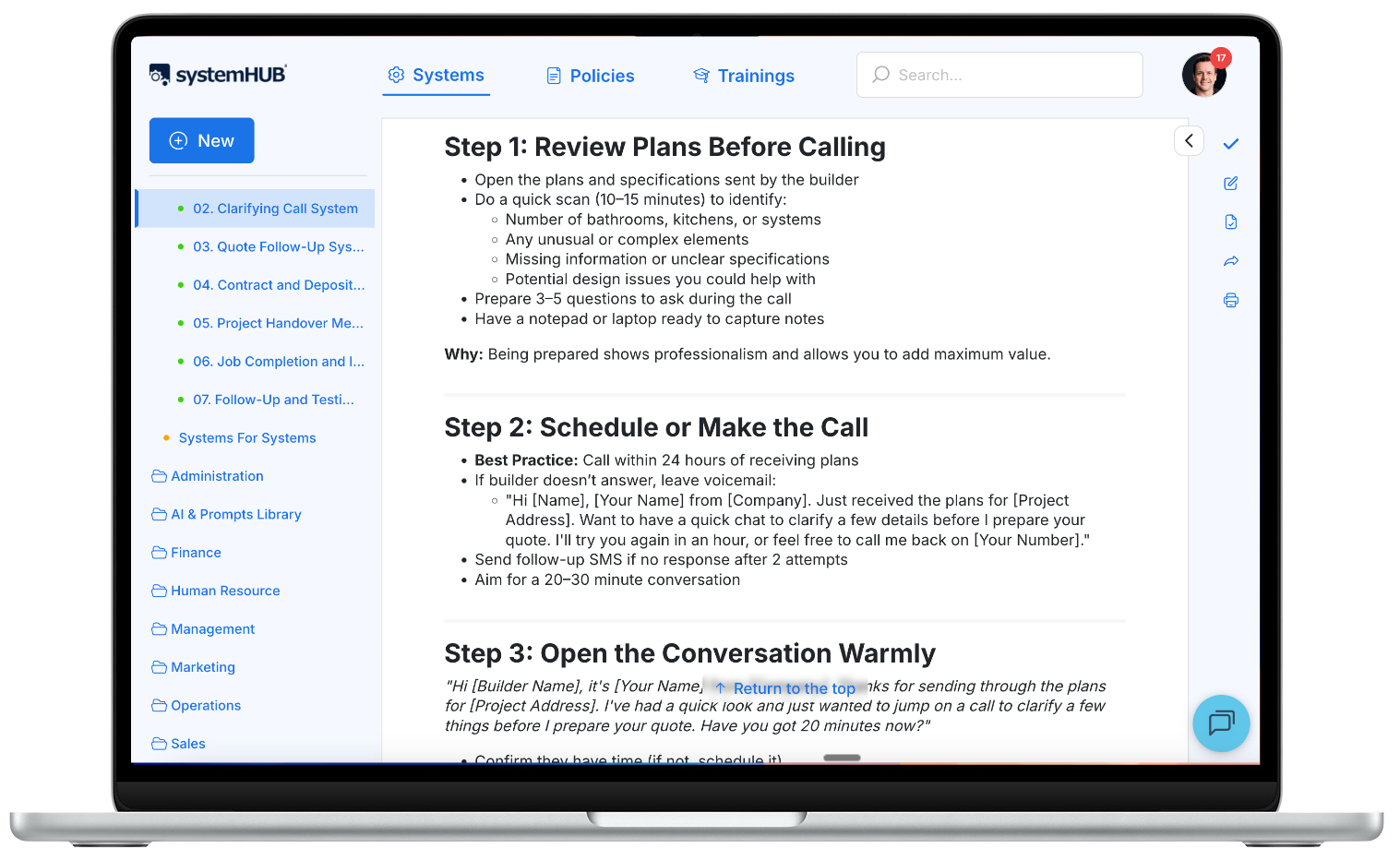
systemHUB keeps every process documented and accessible, giving your team the foundation that makes process automation software work.
5. Measure the result, not just the activity
After you automate a process, track whether it’s actually delivering the outcome you want. Did the automation reduce errors? Did it save time? Did it improve the customer experience? If a workflow runs 500 times but produces the wrong result half the time, you haven’t gained anything. Set up simple monitoring from day one so you know your automation is doing what it should.
Common mistakes when choosing process automation software
Choosing software before documenting processes. This is the number one mistake. You end up building automations based on assumptions and half-remembered steps. When something breaks, nobody knows why. Start with documented standard operating procedures, then choose the tool.
Over-engineering from day one. You don’t need a complex, multi-step automation that handles every edge case on your first attempt. Start simple. Automate the core steps. Add complexity later as you learn what works. A basic automation that runs reliably is worth more than a sophisticated one that breaks every week.
Buying enterprise tools for small-business needs. UiPath and enterprise iPaaS platforms are powerful, but most small businesses don’t need them. Zapier or Make can handle 90% of what a 10-50 person business needs to automate. Don’t pay for capabilities you won’t use for years.
Automating broken processes. If your current process has inconsistent outcomes, automating it won’t fix the inconsistency. It will just make it faster. Fix the process through proper business process improvement first. Then automate the improved version.
Ignoring team adoption. The best automation in the world fails if your team doesn’t trust it, understand it, or know how to fix it when something goes wrong. Involve your team early. Show them what’s being automated and why. When they see it eliminating boring work rather than replacing their roles, they’ll become your biggest advocates.
Frequently asked questions
What is process automation software?
Process automation software is any tool that executes repetitive, rule-based business tasks without human intervention. It watches for triggers (a new form submission, a deal closing, a scheduled time) and performs a series of steps automatically. Popular examples include Zapier, Make, Microsoft Power Automate, and the built-in automation features in CRMs and project management tools.
What is the difference between process automation software and business process automation?
Business process automation (BPA) is the broader strategy of using technology to streamline workflows. Process automation software refers to the specific tools that make it happen. Think of BPA as the “what and why” and process automation software as the “how.” You need the strategy (documented processes, clear goals) before the software delivers real value.
What is the best process automation software for small business?
For most small businesses (10-50 employees), Zapier or Make are the best starting points. They’re affordable, easy to learn, and connect with thousands of apps. If your team uses Microsoft 365, Power Automate is a strong alternative. The “best” tool depends on your specific processes. Start by checking the automation features built into the tools you already use before adding a new platform.
How much does process automation software cost?
Costs range widely. Many tools have free tiers for basic use. Zapier starts at $29.99/month, Make from $10.59/month, and Power Automate from $15/user/month. Built-in automations in CRMs and project management tools are often included in your existing plan. Enterprise RPA tools like UiPath start around $420/month. The real cost to evaluate is total cost of ownership, including setup time, learning curve, and ongoing maintenance.
Do I need to know how to code to use process automation software?
No. Most modern process automation tools like Zapier, Make, and Power Automate use visual, drag-and-drop interfaces. You build workflows by connecting blocks rather than writing code. That said, having clear, documented processes is more important than technical skill. If your procedures are well-written, translating them into automated workflows is straightforward.
What processes should I automate first?
Start with your simplest, most repetitive processes. Good first candidates include sending follow-up emails after a form submission, creating tasks from templates, syncing data between two apps, or generating recurring reports. Pick something that happens frequently, follows the same steps every time, and is already documented. Early wins build confidence and momentum for bigger automations later.
Can process automation software replace my team?
No, and that’s not the goal. Process automation software handles the repetitive, low-value tasks so your team can focus on work that requires creativity, judgement, and human connection. The businesses that get the best results from automation aren’t the ones trying to reduce headcount. They’re the ones freeing their people to do higher-value work. When your team understands this, they become your biggest automation advocates.
The right process automation software isn’t the one with the most features. It’s the one that amplifies documented, tested, proven systems.
Process automation software is powerful. But it’s the last step, not the first. Document your processes. Have your team run them. Prove they work. Then, and only then, hand the repetitive parts to software. That’s how you build automation that lasts, instead of automation that gets abandoned.
Start with one process this week. Write it down. Test it. Get it running smoothly. Then ask: could software do this? The answer will usually be yes.
If you’re ready to build the systems foundation that makes process automation software work, explore systemHUB plans here.