What if your business had a single-page blueprint showing exactly how everything connects?
Most entrepreneurs skip this step. You get an idea, you start executing, and before you know it your business is a tangled web of tasks, people, and processes that only you understand. Sound familiar?
A business process model changes that. It gives you the bird’s-eye view of how work actually flows through your business. Not the messy details of every task. The big picture. The roadmap that shows how a stranger becomes a customer, how your team delivers, and where the handoffs happen.
In this guide, you will learn what a business process model is, why it matters for growing businesses, and how to build one step by step. We will also cover the hourglass business process model, show you a real-world example, and walk through the most common mistakes business owners make when mapping their processes.
In this guide:
What is a business process model?
A business process model is a visual representation of how work flows through your business. Think of it as a map that shows the journey from one end of your operation to the other.
It is not a detailed step-by-step procedure. That is what standard operating procedures (SOPs) are for. A process model sits one level above that. It shows you the high-level stages, the departments involved, and how each part connects to the next.
Business process model vs. SOP
A business process model shows the big picture of how your business operates. An SOP zooms in on one specific task within that picture and documents it step by step. You need both, but the model comes first.
Here is a simple way to think about it. If your business were a city, the process model is the street map. The SOPs are the turn-by-turn directions for each route. You would not start writing directions without first understanding the layout of the streets.
A good business process model typically includes:
- The key stages your customer moves through (from first contact to delivery and beyond)
- The departments or team members responsible at each stage
- The handoff points where work passes from one person or team to another
- The inputs and outputs at each stage
- Any decision points or branches in the flow
When you can see all of this on a single page, you have a business process framework that makes everything else easier. You know where to focus, what to document first, and where the gaps are.
Why every business needs a process model
You might be wondering whether this is worth your time. After all, you already know how your business works. It is all in your head, right?
That is exactly the problem. When the business model framework lives only in the founder’s mind, the business cannot grow beyond what the founder can personally manage. Here are five reasons a process model changes the game.
1. You see the full picture before documenting anything
Most business owners make the mistake of jumping straight into writing SOPs. They document one process here, another there, with no sense of how they all connect. A business process model gives you the overview first. You can see every department, every stage, and every handoff before you write a single procedure. This means you document the right things in the right order.
2. You find bottlenecks and gaps
When you lay out your processes and procedures visually, problems jump out at you. Maybe your sales team has no formal handoff to operations. Maybe customer follow-up is not happening because nobody owns it. You cannot fix what you cannot see, and a process model makes the invisible visible.
3. New hires understand how the business works
Imagine giving a new team member a single-page overview of how your entire business operates. They can see where they fit, who they work with, and how their role connects to the customer journey. That is far more powerful than handing them a stack of individual SOPs with no context.
4. You can delegate with confidence
When you have a clear business process framework, delegation becomes straightforward. You are not just handing off tasks. You are handing off entire sections of the model, with clear inputs, outputs, and expectations. Your team knows what “done” looks like because the model defines it.
5. You stop being the bottleneck
This is the big one. Without a process model, you are the person everyone comes to with questions. “How does this work?” “Who handles this next?” “What happens after we close the sale?” A documented model answers all of these questions without you. It is one of the most powerful steps you can take to systemise your business and free yourself from daily operations.
How systemised is your business right now?
Take the free Systems Strength Test to find out where your business sits and what to focus on next.
The hourglass business process model
One of the most useful ways to think about your business process model is the hourglass shape. This is the concept I walk through in the video below.
The idea is simple. Your business is wide at the top, narrow in the middle, and wide again at the bottom.
Here is how the hourglass business model works:
1
Wide Top
Marketing and lead generation. You cast a wide net to attract prospects through content, ads, referrals, and outreach.
2
Narrow Middle
Sales conversion. Only qualified leads make it through. This is your focused sales process where prospects become paying clients.
3
Wide Bottom
Delivery, fulfilment, and follow-up. You expand again as you serve the client, deliver results, and generate referrals.
The hourglass model is powerful because it forces you to think about your entire client journey in one framework. Most business owners are strong in one area (usually delivery) but have blind spots in others. When you map the hourglass, those blind spots become obvious.
This is also where a business process diagram can help. By sketching the hourglass visually, you get an immediate sense of which sections are well-defined and which are just “stuff that happens.”
Types of business process models
There is no single “correct” process model. Different frameworks work for different situations. Here are the four most useful types for small and mid-sized businesses.
1. The hourglass model
As we covered above, this model maps your business as wide-narrow-wide. It is best for understanding your overall client acquisition and delivery pipeline. Great for service businesses where the customer journey is the backbone of everything you do.
2. The linear (sequential) model
This is the simplest process model. It maps processes as a straight line from start to finish. Step one leads to step two, which leads to step three. It works well for simple, repeatable processes like employee onboarding or order fulfilment. The downside is that real businesses rarely operate in a perfectly straight line.
3. The cyclical model
This model recognises that many business processes are loops, not straight lines. Think about your marketing process. You create content, attract leads, convert them, deliver value, ask for referrals, and those referrals feed back into lead generation. The cyclical model captures these feedback loops and is useful for ongoing business process improvement.
4. The Critical Client Flow (CCF)
This is the process model template we use in the SYSTEMology framework, and it is the one I recommend for most business owners.
The Critical Client Flow maps the essential steps a client goes through from the moment they first interact with your business to the point where they have received your core deliverable. It is not about documenting everything. It is about identifying the critical path that generates revenue and keeps clients happy.
Why the CCF works best for small business: Instead of trying to map every process across every department, you focus on the one flow that matters most. Once you nail that, you can expand outward. It is practical, focused, and gets results fast.
How to create your business process model
Ready to build your own process model? Here is a step-by-step approach that works whether you are mapping an hourglass, a CCF, or any other business process framework.
Step 1: List your core departments
Start by writing down the main functional areas of your business. For most small businesses, these fall into six categories: Marketing, Sales, Operations, Finance, HR, and Management.
You do not need to go deeper than this yet. The goal is to establish the big buckets before getting into specifics.
Step 2: Map the client journey
Now trace the path a client takes from the very first touchpoint to completed delivery. How do they find you? What happens when they enquire? How do you qualify them? What does your sales process look like? How do you onboard? How do you deliver? What happens after delivery?
Write this out as a simple list. Do not worry about making it perfect. You are capturing the flow as it exists today, not as you wish it were.
Step 3: Identify the critical path
Look at your client journey and ask: “Which of these steps are absolutely essential for delivering our core service or product?” These are the steps that make or break the client experience. In the SYSTEMology framework, this is your Critical Client Flow.
Most businesses find that the critical path involves 10 to 15 key steps. If you have more than 20, you are probably going too granular. Zoom back out.
Step 4: Mark handoff points
Handoffs are where things break. They are the moments when responsibility passes from one person or team to another. In your process model, flag every handoff clearly. Who hands off to whom? What information needs to transfer? What triggers the next step?
These handoff points are where most businesses lose quality, speed, or both. Identifying them in your model is the first step toward fixing them.
Step 5: Highlight bottlenecks and owner-dependent steps
Go through your model and circle every step that currently depends on you (the business owner). These are your biggest risks. If you cannot take a week off without those steps stalling, they need to be documented and delegated first.
Also look for steps where work piles up or slows down. These bottlenecks are costing you time and money, even if you have gotten used to them.
Step 6: Document the model visually
Take your list and turn it into a visual model. This does not need to be fancy. A simple flowchart, a whiteboard sketch, or even a structured spreadsheet works. The point is to get it out of your head and onto a page where your team can see it.
Tools like a business process management system can help you store and share your model, but do not let tool selection slow you down. Start simple.
Step 7: Validate with your team
Share your draft model with the people who actually do the work. Ask them: “Is this how it really works?” You will be surprised how often the owner’s view of a process differs from reality. Your team will catch missing steps, unofficial workarounds, and handoffs you did not know existed.
This step is crucial. A process model that does not match reality is just a wish list.
Ready to map and manage your business processes?
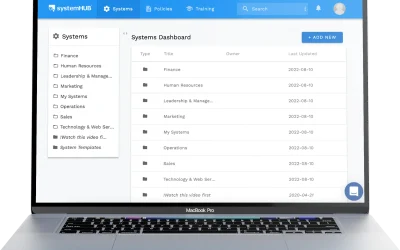
systemHUB gives you a central place to document, store, and share your process models and SOPs with your team. Start with 100+ ready-made templates and build from there.
A real-world process model example
Let us look at what a simple CCF-style business process model looks like for a professional services firm. This is a consulting business with a five-person team.
Example: Consulting Firm Critical Client Flow
Trigger: New lead enquiry via website form or referral.
- Lead capture — Marketing logs the enquiry in the CRM and sends an auto-response (Marketing)
- Qualification call — Sales team member calls within 24 hours to assess fit (Sales)
- Proposal and scoping — Senior consultant prepares a proposal based on the qualification call (Sales)
- Contract and payment — Admin sends the contract and processes the first invoice (Finance)
- Client onboarding — Project manager sets up the project, schedules kickoff, and sends welcome pack (Operations)
- Discovery session — Lead consultant runs a deep-dive session with the client (Operations)
- Deliverable creation — Team produces the core deliverable based on discovery findings (Operations)
- Client review and revisions — Client reviews, team makes adjustments (Operations)
- Final delivery and handover — Completed deliverable is handed to the client with supporting documentation (Operations)
- Follow-up and feedback — Project manager checks in at 30 days, requests testimonial, asks for referrals (Management)
Endpoint: Client has received the deliverable, feedback has been collected, and the referral loop is triggered.
Notice how simple this is. Ten steps on a single page. Each step has a clear owner. The handoff points are obvious. And you can immediately see where you would want to write detailed SOPs (for example, the onboarding process or the discovery session).
That is the power of process modeling. It turns complexity into clarity.
Common mistakes when building process models
After working with hundreds of business owners on their processes, here are the mistakes I see most often.
Starting with detail instead of the big picture. You do not need to document every click and keystroke before you have the overall model. Get the high-level flow right first. Then zoom in on specific processes later. Trying to write SOPs without a process model is like writing driving directions without a map.
Making it too complex. If your process model does not fit on a single page, it is too detailed. Remember, this is the overview. Keep it to the essential stages. You can always create sub-models for individual departments or workflows.
Not involving the team. Your process model should reflect how work actually happens, not how you think it happens. The people doing the work every day will spot gaps, workarounds, and unofficial steps that you have never seen. Involve them early.
Treating it as a one-time exercise. Your business changes. New products, new team members, new tools. Your process model needs to evolve with it. Schedule a quarterly review to keep it current. An outdated model is worse than no model because people stop trusting it.
Trying to model everything at once. Do not attempt to map every process in every department on day one. Start with your Critical Client Flow. Get that right, then expand to supporting processes. Momentum beats perfection every time.
Frequently asked questions
What is a business process model in simple terms?
A business process model is a visual overview of how work flows through your business. It shows the key stages, who is responsible for each stage, and how they connect. Think of it as a one-page map of your entire operation.
What is the difference between a process model and a process map?
They are closely related. A process model is typically higher level, showing how your overall business operates. A process map or diagram usually zooms in on a specific process and documents it in more detail with decision points, swim lanes, and specific actions. The model is the overview; the map is the close-up.
What is the hourglass business model?
The hourglass business model is a way of visualising how your business operates. It is wide at the top (marketing and lead generation), narrow in the middle (sales conversion), and wide again at the bottom (delivery, fulfilment, and referral generation). It helps you see the full client journey and spot where your process is strong or weak.
How do I create a process model for a small business?
Start by listing your core departments (Marketing, Sales, Operations, Finance, HR, Management). Then trace the path a client takes from first contact to completed delivery. Identify the critical steps, mark handoff points between team members, and highlight anything that depends on you. Keep it to a single page and validate it with your team.
What software should I use for process modeling?
Do not overthink the tool. A whiteboard, a Google Doc, or a simple flowchart app all work for creating the initial model. For ongoing storage and team access, a dedicated platform like systemHUB lets you store your process models alongside your SOPs so everything is in one place.
What is a Critical Client Flow (CCF)?
The Critical Client Flow is a process model template from the SYSTEMology framework. It maps the essential steps a client goes through from first interaction to core deliverable. Instead of trying to document everything, the CCF focuses on the critical path that drives revenue and client satisfaction. It is the best starting point for small business process modeling.
How often should I update my process model?
Review your process model quarterly at minimum. Update it whenever you add a new product or service, change your team structure, adopt new tools, or notice that the model no longer matches how work actually gets done. A stale model erodes trust and stops being useful.
Do I need a process model if I already have SOPs?
Yes. SOPs without a process model are like puzzle pieces without the picture on the box. You might have great individual procedures, but without the big-picture model, you do not know how they connect, where the gaps are, or what to prioritise next. The process model gives your SOPs context and structure.
Build your process model and free yourself from the day-to-day
A business process model is not a theoretical exercise. It is the most practical thing you can do to understand how your business really works, find where things break, and build a company that runs without you in every meeting and every decision.
Start with the big picture. Map your Critical Client Flow. Then use that model as your guide for which SOPs to write first, which handoffs to tighten, and which roles to delegate.
If you want a deeper dive into building your process model and systematising your entire business, grab a copy of the SYSTEMology book. It walks you through the full framework step by step.
Your business does not need more hustle. It needs a model that works without you.